Amsterdam’s Stedelijk Museum

Tags

, , , , , , , , ,

Smile, the museum is open

One year and one day ago, the Stedelijk Museum in Amsterdam re-opened to the public after extensive renovations. It was also the last full day of my visit to that city … so what better time to join with thousands of Amsterdammers and tourists to have a look.
If you’re into modern and contemporary art, and you happen to be in Amsterdam, this is the place for you.
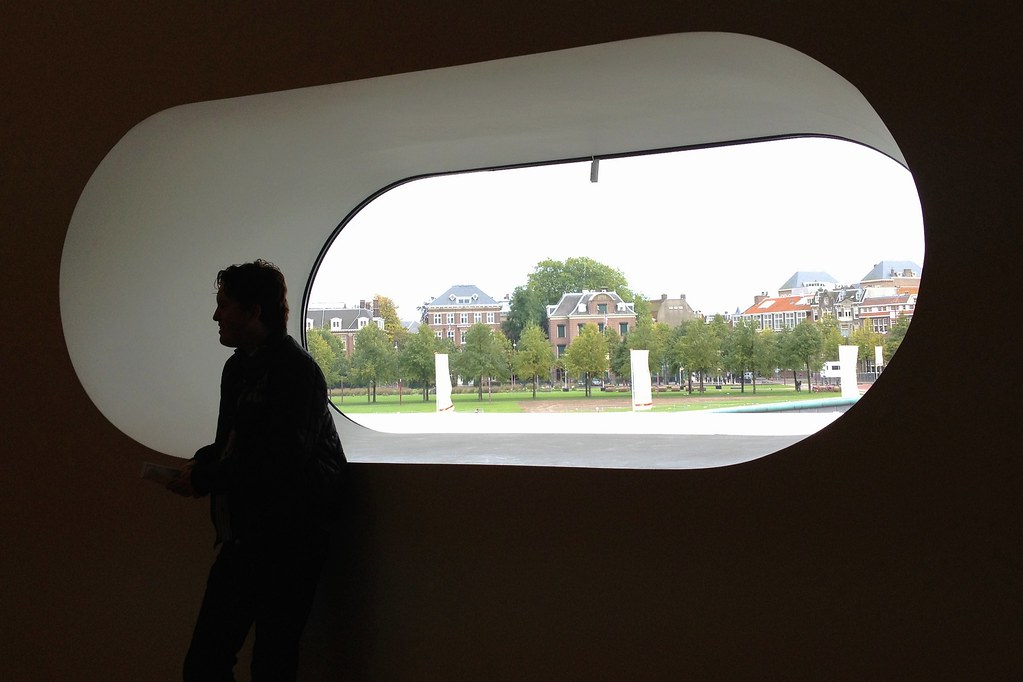
The Stedelijk is located on the south end of the Museumplein. The museum is easy to find because it’s near to pretty much every other major museum in the city … and also because of the distinctive exterior of the museum expansion.
Admission is covered by the Amsterdam museum card (Museumkaart) if you have one. Otherwise, check out their website for current admission rates.

Futuristic

Melding of two eras

Please laugh

Taking art to a new level

Museum and park

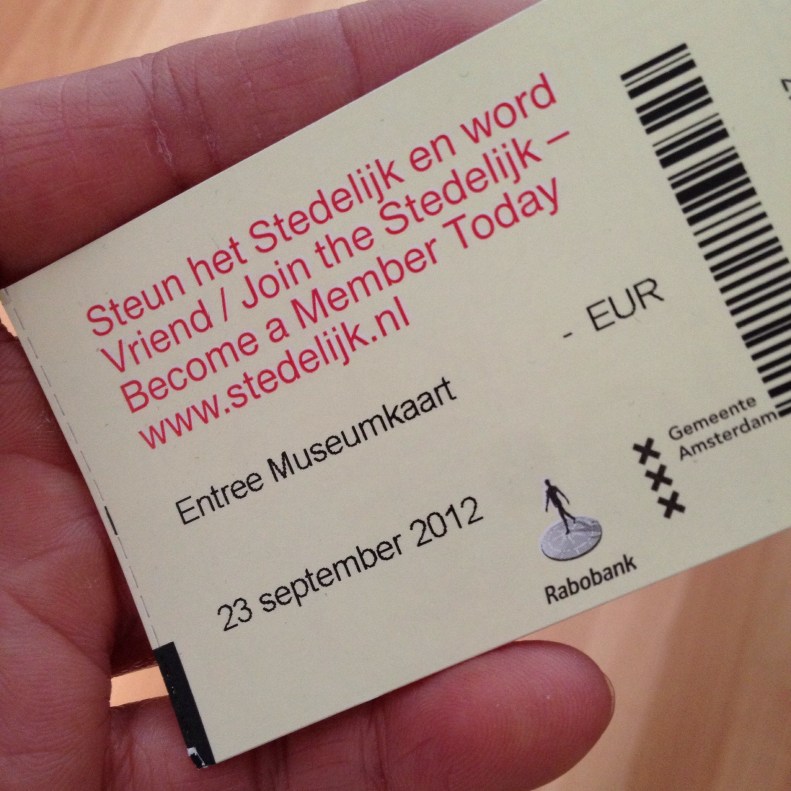
Ticket stub from Stedelijk Museum, Amsterdam.

Ticket stub from Stedelijk Museum, Amsterdam.

Things you find in alleys

Tags

, , , , , , ,

Permanent night

This lovely night scene is in a somewhat narrow alley, between businesses on Kensington Rd. near 10 St. N.W. in Calgary.

Amsterdam: Cycle city

Tags

, , , , , , , , , ,

Cycle city

Not all stereotypes are true … but I’d argue this one is: The Dutch are a bike-loving people.

Cycle city II

Cybernetic swans

My first 12 hours with iOS 7

Tags

, , , , , , , , ,

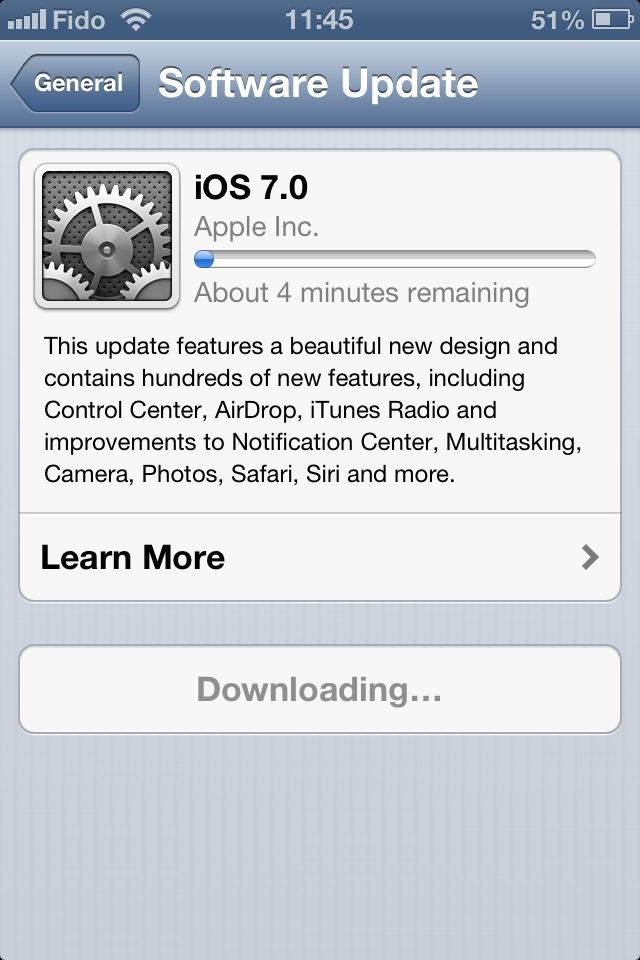
Apple unleashed its newest operating system on the world Wednesday. You’ll find my preliminary thoughts on iOS 7 interspersed with some screenshots from my phone.

20130919-001924.jpg

As of this writing, tech websites are reporting iOS 7 has already been installed on some 15% of Apple mobile devices so far.
I loaded iOS 7 into my iPhone 4S this morning and my first impressions are generally positive. Quickly, on the things that matter:
• The phone still works as it should. I remembered all my ringtone and message sound settings. I even took a phone call today (!) and everything went fine.
• The battery life was just as good as it was in iOS 6. With the Wi-Fi on at work and a 2G (EDGE) connection to my service provider, no Bluetooth, manual fetching of e-mails, minimal push notifications, some location services off and moderate use today, the phone’s charge went from 99% to 70% between 1 p.m. and midnight. Not too shabby.
• No apps misfired, to my knowledge.

20130919-001956.jpg

The installation process was somewhat lengthy. From the time I told my phone to download until the iOS 7 setup menus became active, it took almost an hour.
Unlike some other iDevice users, however, I had no trouble downloading the operating system.
(As I write this, my third-generation iPad is being updated. It doesn’t appear to be taking quite as long.)

20130919-002011.jpg

The interface is gorgeous. I am particularly fond of the extra-thin font is use for such things as the clock and keypad on the lock screen.
I’m also pleased at the ability to adjust the default font size, for apps that support this feature.
The parallax between the icons and the wallpaper is a little off-putting. Frankly, it hasn’t helped me (yet) to enhance the “layering” of the operating system, as Apple was pitching when iOS 7 was first introduced to the public.

20130919-002026.jpg

The control centre is an idea whose time has come. I keep forgetting it’s there and continue to dig into my Settings menus to gain access to controls for Wi-Fi and Bluetooth.
The new operating system offers a selection of cool wallpapers, in case you don’t have something special set aside. One set has dynamic wallpaper, with background bubbles that move around as your device moves.

20130919-002552.jpg

20130919-002604.jpg

20130919-002107.jpg

Apple promised the migration to a whole new interface wouldn’t be painful, that it would be “instantly recognizable”, to quote Jony Ive from a video from Apple’s website.
That statement mostly holds true. Take the Messages interface, for example. Blue speech bubbles for iMessage; green for regular SMS. And if you look at the screenshot of the Settings menu above, you’ll see the hierarchy is pretty much identical to how it was in iOS 6.
However, there are few changes that break with the familiarity of the old versions of iOS.
• Swiping to delete (in Mail, for example) only works if you swipe right-to-left.
• You still double-click the home button to switch apps. To kill an app, you hold your finger on a screenshot and flick it upward … and it magically disappears.
• There is a new method to invoke Spotlight. Flick down from anywhere in the middle of the screen.
• Facebook and Twitter posting are gone from the Notification Centre.
• Weather remains as text describing current conditions in the Notification Centre — but only if “Weather” in location services is enabled.
• The Newsstand folder no longer behaves as an app. (I never understood why it did and I always found that annoying. I’m glad this was fixed.)
• You can set your apps to automatically update as fixes become available. This is not mandatory, however.
• The overview of your photos is grouped in specific time periods, in what Apple calls “Moments” and “Collections”. The behaviour of photo albums remains unchanged.
• The screen now fades in and out instead of turning immediately on or off.

20130919-010848.jpg

Those are some of the things I noticed in my first half-day of using iOS 7. I’ll share with you any new discoveries and/or oddities that might come along as I become more familiarized with it.

Image

iOS 7 on the way …

20130918-114941.jpg

Look forward to sharing my first impressions of iOS 7, Apple’s latest smartphone/tablet operating system, with you after I’ve fiddled around with it today. Installation is underway!

Silly statements from the mouths of analysts and critics

Tags

, , , , ,

Screen capture from Apple's website.

Screen capture from Apple’s website.

With the forthcoming release of Apple’s new iPhones (and to some degree with the previous release of the Samsung Galaxy S4 and Blackberry’s Z10 and Q10) there are voices in the tech and investing worlds openly wondering where smartphone innovation has gone.
They fret almost obsessively about tech companies’ apparent inability to create a “wow” factor with the release of new products.
To those people, I ask you to please chill out.
There is very little to be gained from demanding new bells and whistles for the sake of having bells and whistles. Features are great but what’s the point of having them if no one uses them?
What is the point of change for the sake of change? In one review of the iPhone 5S I read today, the author seemed rather dismayed about the form-factor of the phone not really having changed since the release of the iPhone 5 last year. Oh, the horror!
Let me put it to you this way: No one frets about technological advances in the construction and design of the wheel. Sure, we’ve found ways to make wheels prettier and integrate wheels into new applications — but at its core the basic design of the wheel has been pretty much static for more than 5,000 years. Wall Street and designers are clearly not outraged about that. And why should they be? The wheel is a perfect machine. To do anything to its basic shape and design would destroy it.
Tech and financial analysts alike need to prepare themselves for the idea that high-end smartphones might only evolve incrementally from now on. Why wreck the devices’ design and usability by re-inventing them just for the sake of hunting for that elusive “wow” factor?

(Disclosure: I own several Apple devices and an old BlackBerry. I don’t own any Android devices. I also don’t own any tech stocks of any kind.)

Yummy signage

Tags

, , , , , ,

Food ... Thatta way!

Outside Diner Deluxe in Renfrew, Calgary.

Tell-tale early sign of fall

Tags

, , , , , , , ,

Early signs of fall

Shades of yellow and orange tinting our deciduous trees … including this one at Calgary’s Confederation Park.

Château de Versailles: The very definition of opulence

Tags

, , , ,

Repos au jardin

All the guide books said the grand château at Versailles was one of the world’s more ornate palaces. And by golly, they were right.
I’d go so far as to say no guidebook of any kind can prepare a first-time visitor for the full extent of this place’s grandiosity.
That, coupled with the crush of people inside the building’s hallways … it can almost be too much.
Go mentally prepared for what you’re about to take in and what the surroundings will be.
Give yourself pretty much an entire day so you can pace yourself.
If claustrophobic feelings strike, head outside and clear your mind in the sumptuous gardens behind the château. Wander far enough and you’ll even see farm animals on the property. It’s truly lovely.
These images were taken on my visit there in September 2012.

Somptueux jardin

Message des cieux

Un regard à la fenêtre

Âge d'or

Lily and Griffin, canine best buds

Tags

, , , , , ,

Start off your week on the right foot (or should that be paw?) … with some cute canine company.

Big doggy smile!

HipstaGriffin 2013

Who’s a cute pupster? 🙂