• Home
  • About this blog

Ricky Leong

~ Random Musings

Ricky Leong

Tag Archives: iPad

Gems in iOS 9 on iPad

24 Saturday Oct 2015

Posted by Ricky Leong in random, technology

≈ Leave a comment

Tags

apple, iOS, iPad, iPhone, mobile, tech, technology

Like many users of Apple’s mobile products, I’ve been getting a hands-on experience with iOS 9 for a few weeks now.

I can happily report I am generally pleased with the upgrade. I have (so far, anyway) not seen any of the negative side-effects that have been reported elsewhere on the Internet.

Here, I’d like to share two small things I’ve noticed about iOS 9 on iPad that I found neat.

1) App switcher with external keyboard

I most often use my iPad as it is — that is, naked — but from time to time it turns into a backup computer with a Bluetooth-enable keyboard.

Imagine my surprise when I absent-mindedly hit Command+Tab and saw this:

iOS 9 shows you something very reminiscent of OS X, Apple’s desktop operating system.

It’s a nice little touch!

2) Battery widget in notification screen

I’ve never seen a battery widget in the notification screen until today.

The widget exists in portrait and landscape modes but it disappears once I power off my Bluetooth keyboard. There is also no battery widget currently visible on my iPhone’s notification screen. I can only presume this only becomes visible when iPad is connected with one or more devices capable of displaying remaining battery capacity. Another small, if cosmetic, addition.

I’ll pass along more iOS 9 hidden gems if I encounter any more!

Share this:

  • Click to email a link to a friend (Opens in new window) Email
  • Click to share on Facebook (Opens in new window) Facebook
  • Click to share on X (Opens in new window) X
  • More
  • Click to share on Reddit (Opens in new window) Reddit
  • Click to share on Tumblr (Opens in new window) Tumblr
  • Click to share on LinkedIn (Opens in new window) LinkedIn
  • Click to share on Pinterest (Opens in new window) Pinterest
  • Click to print (Opens in new window) Print
Like Loading...

Patch released for iOS security flaw

22 Saturday Feb 2014

Posted by Ricky Leong in Apple, Internet, iPad, iPhone, technology

≈ Leave a comment

Tags

apple, iOS, iPad, iPhone, security, technology

Download of iOS 7.0.6, which patches security flaw.

Screen capture showing download of iOS 7.0.6, which patches security flaw.

Just read a news article on a serious security flaw in iOS 7 and immediately downloaded a software update to my device to patch this problem.
According to the news story linked above: “If attackers have access to a mobile user’s network, such as by sharing the same unsecured wireless service offered by a restaurant, they could see or alter exchanges between the user and protected sites such as Gmail and Facebook. Governments with access to telecom carrier data could do the same.”
I had to invoke the update process manually by going to Settings > General > Software Update where I was invited to download the patch, iOS version 7.0.6.
Those among you with iDevices might want to think about doing the same.

0.000000 0.000000

Share this:

  • Click to email a link to a friend (Opens in new window) Email
  • Click to share on Facebook (Opens in new window) Facebook
  • Click to share on X (Opens in new window) X
  • More
  • Click to share on Reddit (Opens in new window) Reddit
  • Click to share on Tumblr (Opens in new window) Tumblr
  • Click to share on LinkedIn (Opens in new window) LinkedIn
  • Click to share on Pinterest (Opens in new window) Pinterest
  • Click to print (Opens in new window) Print
Like Loading...

“Repeat Album” found … unusual limitation in iOS 7

29 Sunday Sep 2013

Posted by Ricky Leong in Apple, iPad, iPhone, technology

≈ 3 Comments

Tags

apple, iOS, iOS 7, iPad, iPhone, iPod, music, tech, technology

20130929-005325.jpg

So in iOS 7, it appears you can only repeat an album if you choose to listen to an album whilst browsing from the Album category. If you choose an album whilst browsing the Artist category, you can only choose to repeat the artist.
That’s a pretty weird limitation, especially for people like me, whose mind is set to sorting music by artist name rather than by album name.
Here’s hoping this is a temporary change.

0.000000 0.000000

Share this:

  • Click to email a link to a friend (Opens in new window) Email
  • Click to share on Facebook (Opens in new window) Facebook
  • Click to share on X (Opens in new window) X
  • More
  • Click to share on Reddit (Opens in new window) Reddit
  • Click to share on Tumblr (Opens in new window) Tumblr
  • Click to share on LinkedIn (Opens in new window) LinkedIn
  • Click to share on Pinterest (Opens in new window) Pinterest
  • Click to print (Opens in new window) Print
Like Loading...

What happened to “Repeat Album” in iOS 7?

27 Friday Sep 2013

Posted by Ricky Leong in Apple, iPad, iPhone

≈ Leave a comment

Tags

apple, iOS, iOS 7, iPad, iPhone, iPod, tech, technology

20130926-120012.jpg

There does not appear to be a “Repeat album” option in the iOS 7 music player. A bit annoying.
Additionally, I’ve noticed some volume issues in playlists, where songs will suddenly get louder or quieter within the first few seconds. Perhaps something amiss with “Sound Check”?
In any case, there is apparently an update to iOS 7.0.2 that mainly corrects a security problem … perhaps these will be addressed, too?

UPDATE: Answered my own question, sort of. Please see this newer post.

0.000000 0.000000

Share this:

  • Click to email a link to a friend (Opens in new window) Email
  • Click to share on Facebook (Opens in new window) Facebook
  • Click to share on X (Opens in new window) X
  • More
  • Click to share on Reddit (Opens in new window) Reddit
  • Click to share on Tumblr (Opens in new window) Tumblr
  • Click to share on LinkedIn (Opens in new window) LinkedIn
  • Click to share on Pinterest (Opens in new window) Pinterest
  • Click to print (Opens in new window) Print
Like Loading...

Strange Mail behaviour in iOS 7

25 Wednesday Sep 2013

Posted by Ricky Leong in Apple, iPad, iPhone, technology

≈ Leave a comment

Tags

apple, iOS, iOS 7, iPad, iPhone, mobile, tech, technology

20130925-020817.jpg

Since installing iOS 7 onto my iPhone 4S and third-generation iPad last week, I’ve noticed something strange about the default Mail application.
Mail on my devices is set to manual fetch, not push.
And yet, it seems to be automatically fetching e-mail when I close the mail application in the multitasking screen and when my device is booting after a restart.
Have you observed this (or any other) unexpected behaviour from Mail in iOS 7?

0.000000 0.000000

Share this:

  • Click to email a link to a friend (Opens in new window) Email
  • Click to share on Facebook (Opens in new window) Facebook
  • Click to share on X (Opens in new window) X
  • More
  • Click to share on Reddit (Opens in new window) Reddit
  • Click to share on Tumblr (Opens in new window) Tumblr
  • Click to share on LinkedIn (Opens in new window) LinkedIn
  • Click to share on Pinterest (Opens in new window) Pinterest
  • Click to print (Opens in new window) Print
Like Loading...

My first 12 hours with iOS 7

19 Thursday Sep 2013

Posted by Ricky Leong in Apple, iPad, iPhone, technology

≈ 3 Comments

Tags

apple, iOS, iOS 7, iPad, iPhone, mobile, smartphone, tablet, tech, technology

Apple unleashed its newest operating system on the world Wednesday. You’ll find my preliminary thoughts on iOS 7 interspersed with some screenshots from my phone.

20130919-001924.jpg

As of this writing, tech websites are reporting iOS 7 has already been installed on some 15% of Apple mobile devices so far.
I loaded iOS 7 into my iPhone 4S this morning and my first impressions are generally positive. Quickly, on the things that matter:
• The phone still works as it should. I remembered all my ringtone and message sound settings. I even took a phone call today (!) and everything went fine.
• The battery life was just as good as it was in iOS 6. With the Wi-Fi on at work and a 2G (EDGE) connection to my service provider, no Bluetooth, manual fetching of e-mails, minimal push notifications, some location services off and moderate use today, the phone’s charge went from 99% to 70% between 1 p.m. and midnight. Not too shabby.
• No apps misfired, to my knowledge.

20130919-001956.jpg

The installation process was somewhat lengthy. From the time I told my phone to download until the iOS 7 setup menus became active, it took almost an hour.
Unlike some other iDevice users, however, I had no trouble downloading the operating system.
(As I write this, my third-generation iPad is being updated. It doesn’t appear to be taking quite as long.)

20130919-002011.jpg

The interface is gorgeous. I am particularly fond of the extra-thin font is use for such things as the clock and keypad on the lock screen.
I’m also pleased at the ability to adjust the default font size, for apps that support this feature.
The parallax between the icons and the wallpaper is a little off-putting. Frankly, it hasn’t helped me (yet) to enhance the “layering” of the operating system, as Apple was pitching when iOS 7 was first introduced to the public.

20130919-002026.jpg

The control centre is an idea whose time has come. I keep forgetting it’s there and continue to dig into my Settings menus to gain access to controls for Wi-Fi and Bluetooth.
The new operating system offers a selection of cool wallpapers, in case you don’t have something special set aside. One set has dynamic wallpaper, with background bubbles that move around as your device moves.

20130919-002552.jpg

20130919-002604.jpg

20130919-002107.jpg

Apple promised the migration to a whole new interface wouldn’t be painful, that it would be “instantly recognizable”, to quote Jony Ive from a video from Apple’s website.
That statement mostly holds true. Take the Messages interface, for example. Blue speech bubbles for iMessage; green for regular SMS. And if you look at the screenshot of the Settings menu above, you’ll see the hierarchy is pretty much identical to how it was in iOS 6.
However, there are few changes that break with the familiarity of the old versions of iOS.
• Swiping to delete (in Mail, for example) only works if you swipe right-to-left.
• You still double-click the home button to switch apps. To kill an app, you hold your finger on a screenshot and flick it upward … and it magically disappears.
• There is a new method to invoke Spotlight. Flick down from anywhere in the middle of the screen.
• Facebook and Twitter posting are gone from the Notification Centre.
• Weather remains as text describing current conditions in the Notification Centre — but only if “Weather” in location services is enabled.
• The Newsstand folder no longer behaves as an app. (I never understood why it did and I always found that annoying. I’m glad this was fixed.)
• You can set your apps to automatically update as fixes become available. This is not mandatory, however.
• The overview of your photos is grouped in specific time periods, in what Apple calls “Moments” and “Collections”. The behaviour of photo albums remains unchanged.
• The screen now fades in and out instead of turning immediately on or off.

20130919-010848.jpg

Those are some of the things I noticed in my first half-day of using iOS 7. I’ll share with you any new discoveries and/or oddities that might come along as I become more familiarized with it.

0.000000 0.000000

Share this:

  • Click to email a link to a friend (Opens in new window) Email
  • Click to share on Facebook (Opens in new window) Facebook
  • Click to share on X (Opens in new window) X
  • More
  • Click to share on Reddit (Opens in new window) Reddit
  • Click to share on Tumblr (Opens in new window) Tumblr
  • Click to share on LinkedIn (Opens in new window) LinkedIn
  • Click to share on Pinterest (Opens in new window) Pinterest
  • Click to print (Opens in new window) Print
Like Loading...

Review of the Logitech Ultrathin Keyboard for iPad

17 Wednesday Apr 2013

Posted by Ricky Leong in Apple, iPad, technology

≈ 1 Comment

Tags

Bluetooth, iPad, keyboard, technology

20130416-232442.jpg

Over the last year, I’ve taken several trips on which my trusty laptop computer stayed at home while an iPad accompanied me on my journey instead.
Although I successfully wrote innumerable e-mails, dozens of blog posting and several newspaper columns on my travels, I sometimes missed having a physical keyboard.
In comes the Logitech Ultrathin Keyboard Cover.
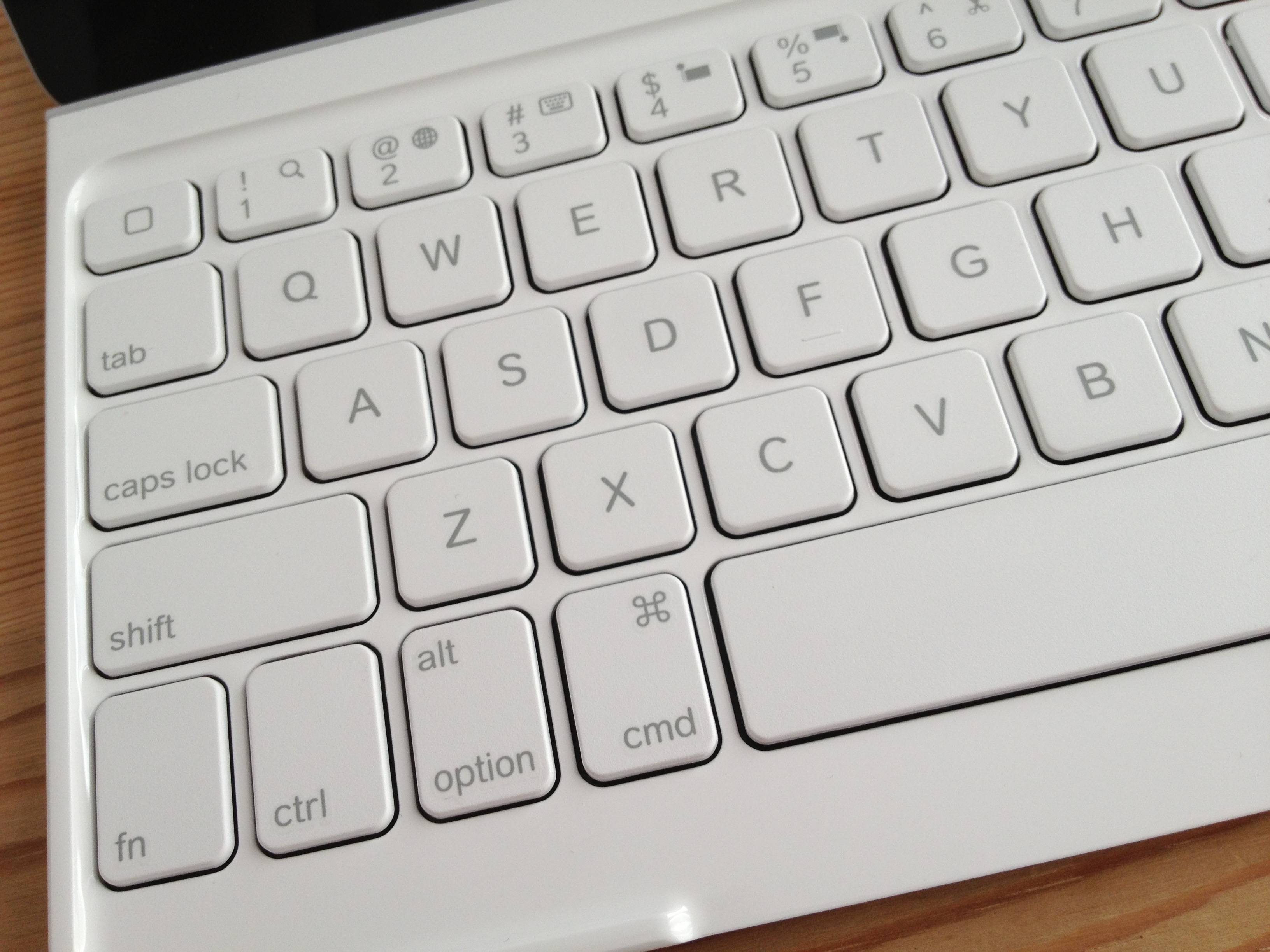
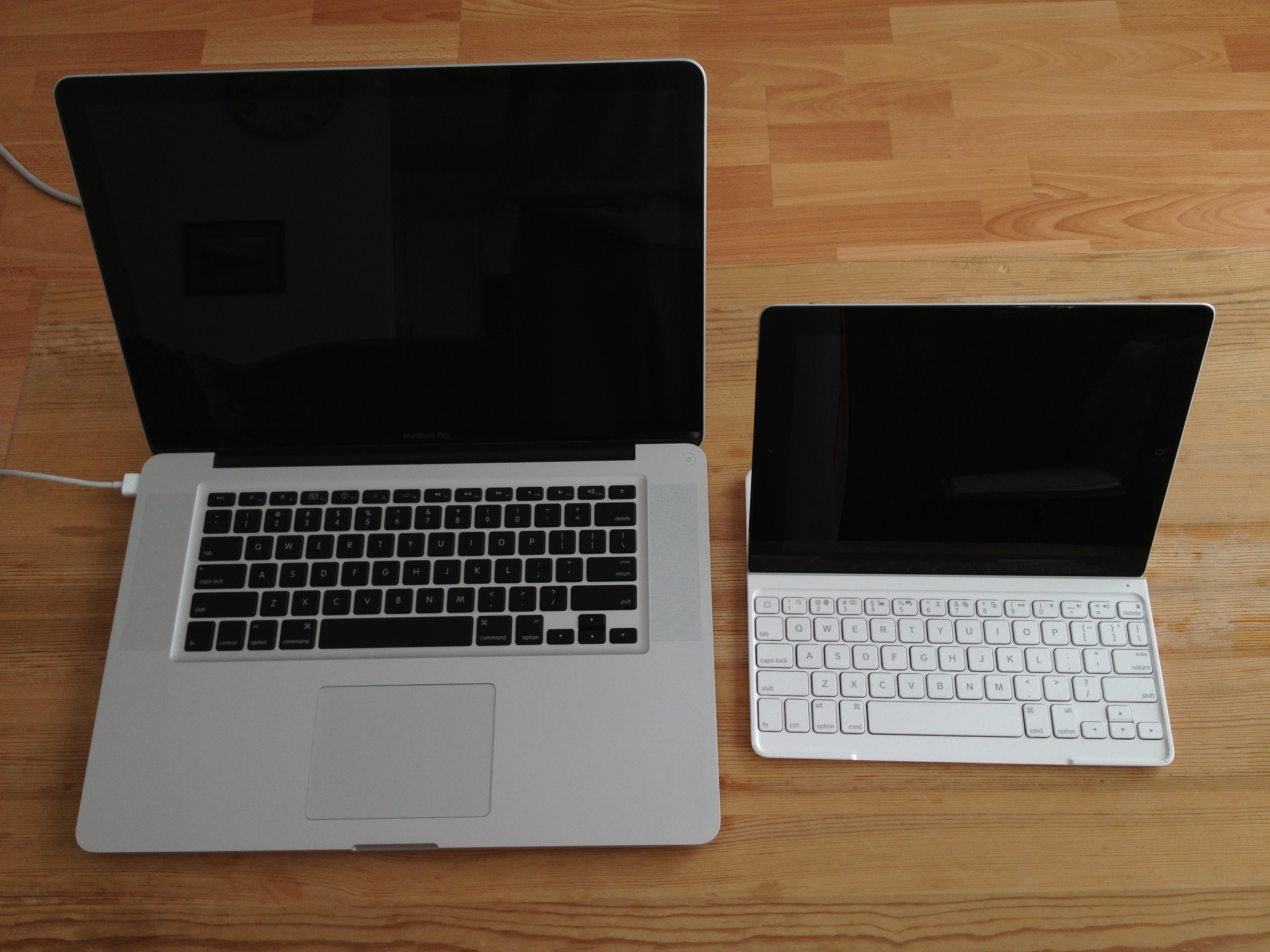
It’s not a full-sized keyboard, so it might take a minute or two to get used to the spacing between keys.
Where an ‘esc’ key would be on a normal keyboard, there is an extra home button. It behaves like its physical equivalent.
A ‘fn’ key gives you access to several useful functions: Search, language switching, selecting/cutting/copying/pasting, play/pause, mute, volume and iPad lock/unlock.
And happily, if you’re also a Mac user, all the usual keyboard shortcuts work as you’d expect — shift/option/cmd combos to move around and select text, cmd+C to copy, cmd+V to paste, option+shift+hyphen for an em-dash, option+8 for a bullet … everything exactly as it should work.

20130416-232835.jpg

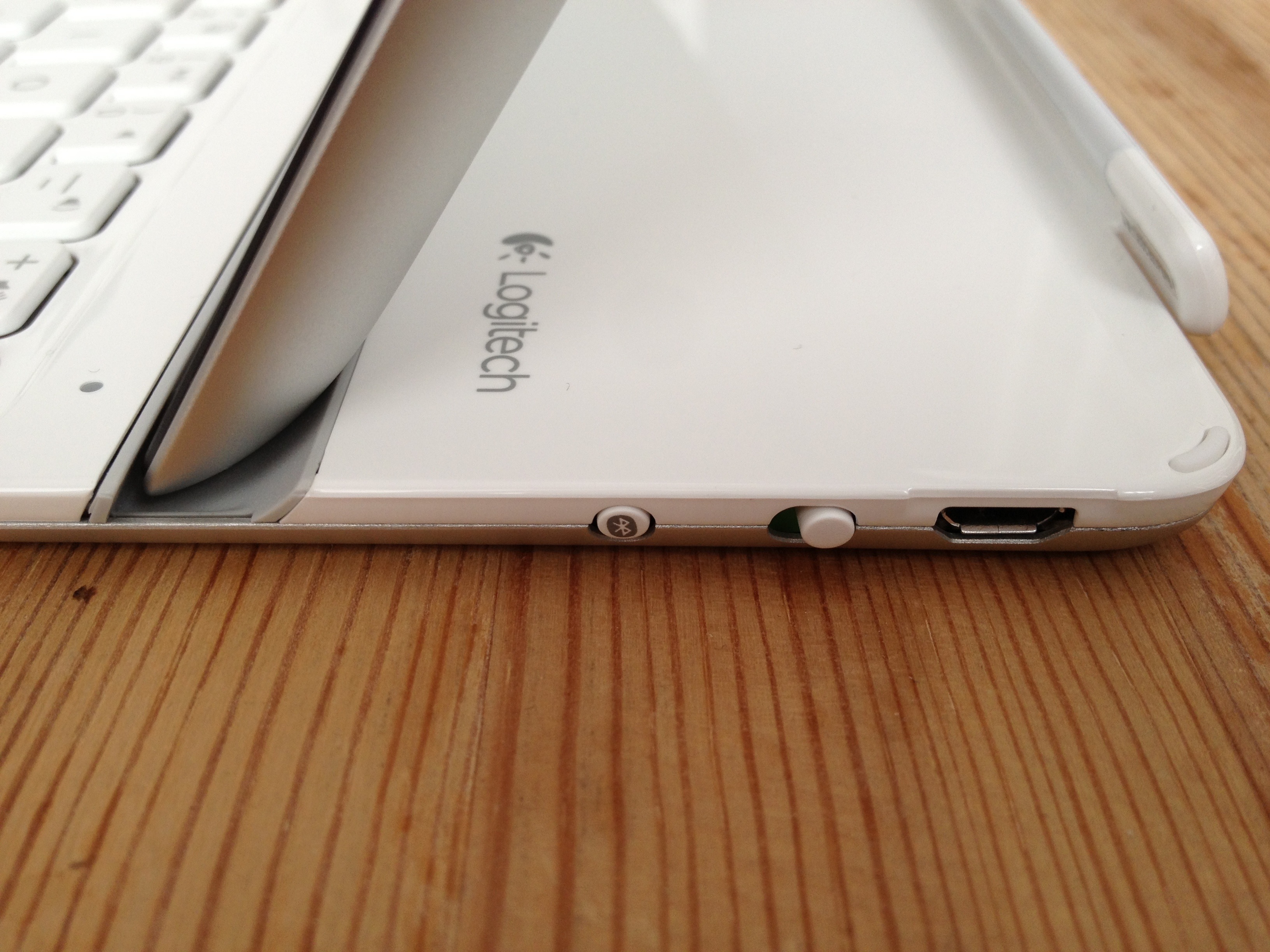
Physically speaking, the keyboard is light. The iPad feels secure when inserted into the provided groove. The keyboard also stays attached if you lift the combo off your lap/desk/work surface.
The keys themselves feel good, resembling what you’d expect from Apple’s own low-profile soft-touch keyboards.
The initial Bluetooth pairing between the keyboard and the iPad was a dream.
Charging to full took a couple of hours; the manual claims the keyboard will hold its charge for as long as six months for light daily duty.
As much as I have many nice things to say about this device, I’m not yet convinced about the keyboard’s function as a cover, mainly because the side magnet is not as sturdy as the one on Apple’s own Smart Cover.
The thing works great when it’s closed. There are little rubber feet in the cover to separate it from the screen. It doesn’t attach magnetically as a Smart Cover would but if you slide the iPad and cover into a sleeve or a laptop bag, there should be no trouble.
Trouble does come once it’s open. The cover is heavy enough that it will detach from the iPad if you don’t provide any support. And forget about flipping the cover over and under, as you would with a standard Smart Cover. It will come right off.
My biggest gripe: The provided USB/power cable for charging is ridiculously short — only 38 cm/15 inches long. It might make things tricky when replenishing the keyboard’s rechargeable battery.
In short, the Logitech Ultrathin Keyboard Cover turns iPad into something resembling a touchscreen laptop computer.
The concept of touching the screen *and* typing to interact with my device was odd at first, but I’m getting accustomed to it.
(For what it’s worth, this review was written using the keyboard, in separate writing sessions spread out over several weeks. Things went quite well.)
There will be times when a travelling with a full-fledged mobile computer will be called for. But for those occasions where the iPad is sufficient, the Logitech keyboard cover (or a similar device) should make typing that much easier and enjoyable.

20130416-233622.jpg

Share this:

  • Click to email a link to a friend (Opens in new window) Email
  • Click to share on Facebook (Opens in new window) Facebook
  • Click to share on X (Opens in new window) X
  • More
  • Click to share on Reddit (Opens in new window) Reddit
  • Click to share on Tumblr (Opens in new window) Tumblr
  • Click to share on LinkedIn (Opens in new window) LinkedIn
  • Click to share on Pinterest (Opens in new window) Pinterest
  • Click to print (Opens in new window) Print
Like Loading...

Flickr iOS app updates coming fast and furious

16 Saturday Mar 2013

Posted by Ricky Leong in Apple, Flickr, Internet, iPad, iPhone, photography, random, technology

≈ Leave a comment

Tags

all, flickr, iOS, iPad, iPhone, iPhoneography, photography, technology

20130316-192744.jpg

Just saw this pop up on the phone …
Enhancements include the addition of the ever-ubiquitous hashtags and unspecified “bug fixes.”
Will have to try it out later and report back on what “bug fixes” we’re taken care of this time.

EDIT: A long-running complaint of mine hasn’t been addressed with this update: The Flickr app used to use the ‘keywords’ IPTC field and turn it into Flickr tags. It hasn’t done so since the prettier Version 2 of the Flickr app was introduced in December. Very annoying.

Share this:

  • Click to email a link to a friend (Opens in new window) Email
  • Click to share on Facebook (Opens in new window) Facebook
  • Click to share on X (Opens in new window) X
  • More
  • Click to share on Reddit (Opens in new window) Reddit
  • Click to share on Tumblr (Opens in new window) Tumblr
  • Click to share on LinkedIn (Opens in new window) LinkedIn
  • Click to share on Pinterest (Opens in new window) Pinterest
  • Click to print (Opens in new window) Print
Like Loading...

Before the Internet … there was shortwave radio

11 Monday Mar 2013

Posted by Ricky Leong in broadcasting, Internet, iPad, iPhone, journalism, radio, technology, world

≈ Leave a comment

Tags

broadcasting, international, Internet, iPad, iPhone, news, radio, shortwave, SWL, technology, world

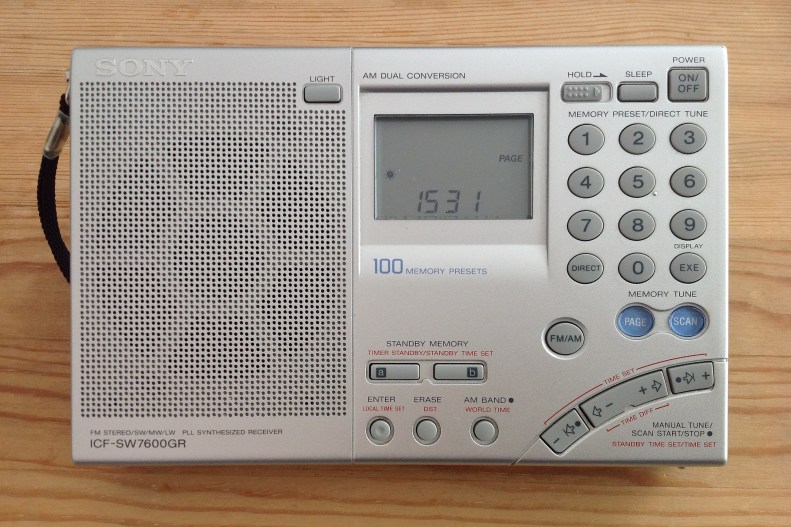
Shortwave radio receiver, Sony 7600-GR

It’s been a couple of years since the aerial broke off this radio.
Once upon a time, I would have gone to great lengths to repair it but my geographical location and changing technology have pretty much put a permanent hold on any effort to fix this.
You see, the radio still performs just fine on AM/MW with its internal antenna; it does relatively well on FM even with no antenna.
It’s on shortwave where the missing aerial would be most noticed — and I’m saddened to report I’m normally not missing a thing.
Continue reading →

Share this:

  • Click to email a link to a friend (Opens in new window) Email
  • Click to share on Facebook (Opens in new window) Facebook
  • Click to share on X (Opens in new window) X
  • More
  • Click to share on Reddit (Opens in new window) Reddit
  • Click to share on Tumblr (Opens in new window) Tumblr
  • Click to share on LinkedIn (Opens in new window) LinkedIn
  • Click to share on Pinterest (Opens in new window) Pinterest
  • Click to print (Opens in new window) Print
Like Loading...

Music to my ears … and eyes

01 Friday Feb 2013

Posted by Ricky Leong in Apple, Internet, iPad, iPhone, music, technology

≈ Leave a comment

Tags

app, audio, iOS, iPad, iPhone, music, radio, TuneIn

20130131-235626.jpg

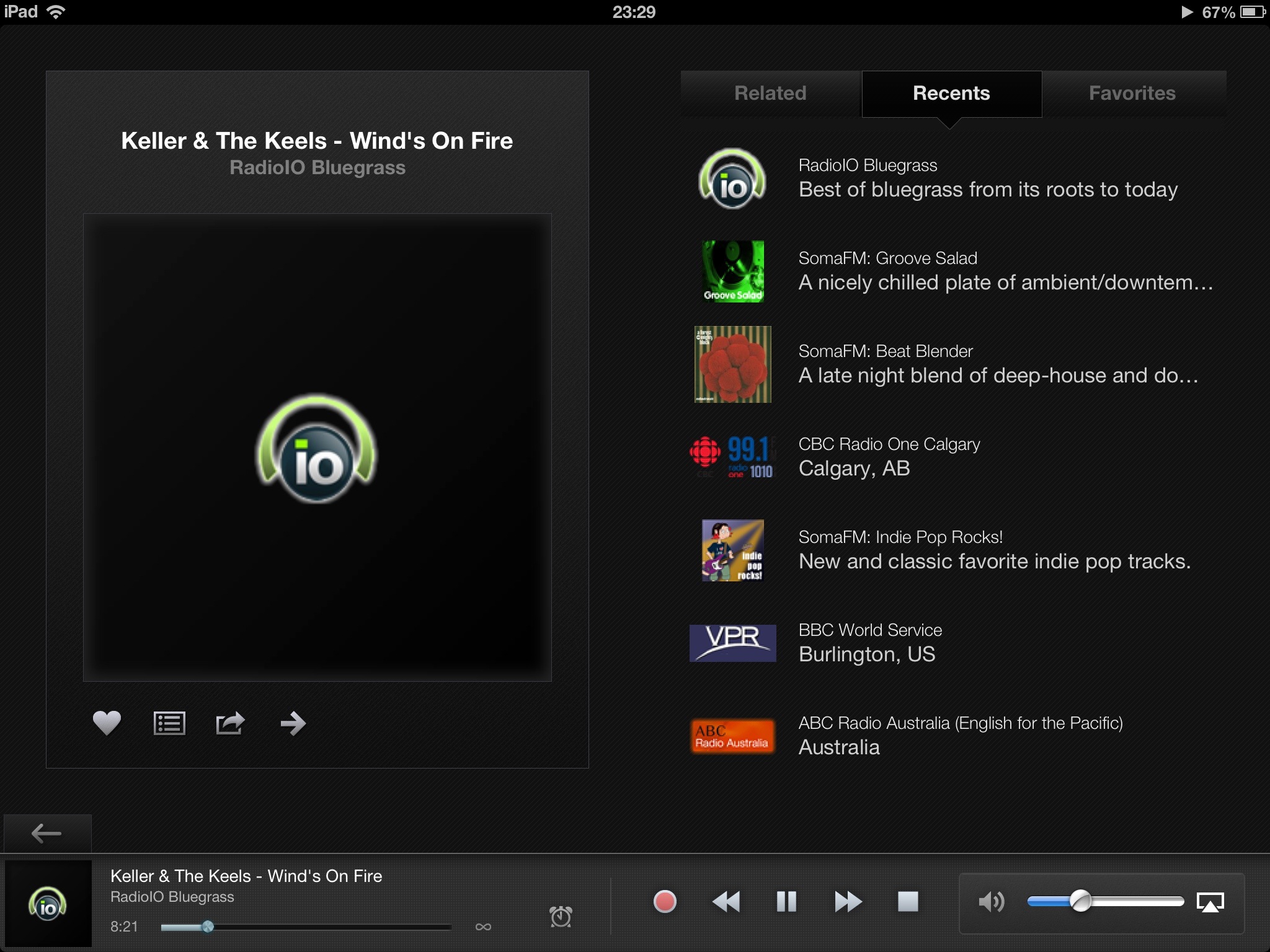
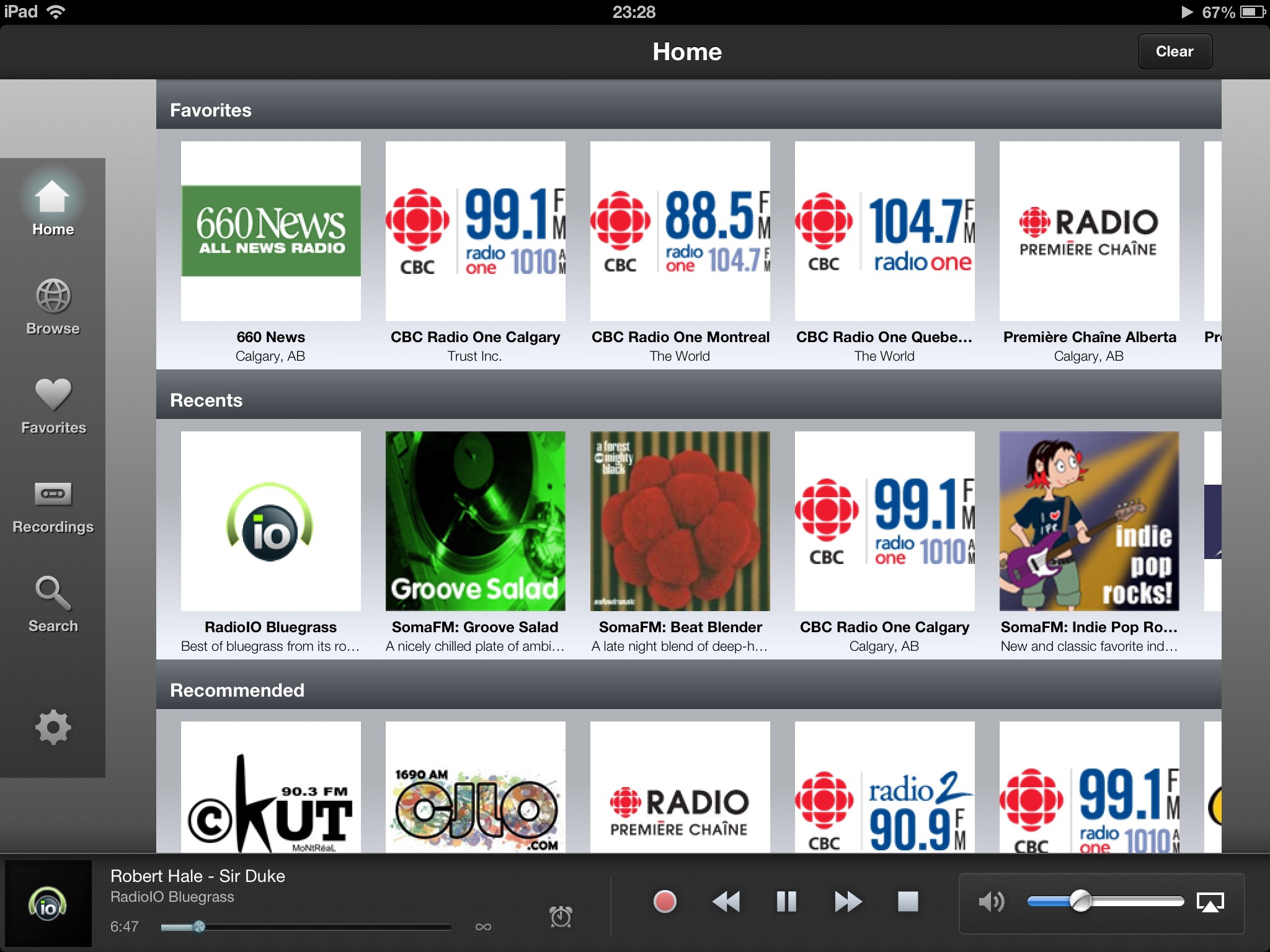
I’m a little late to the party with this review of the latest version of TuneIn Radio, which was rolled out shortly before Christmas.
You see: I mainly use TuneIn on my smartphone while commuting or travelling and so didn’t notice the massive redo of the interface on the tablet version until the last few hours.

20130201-000009.jpg

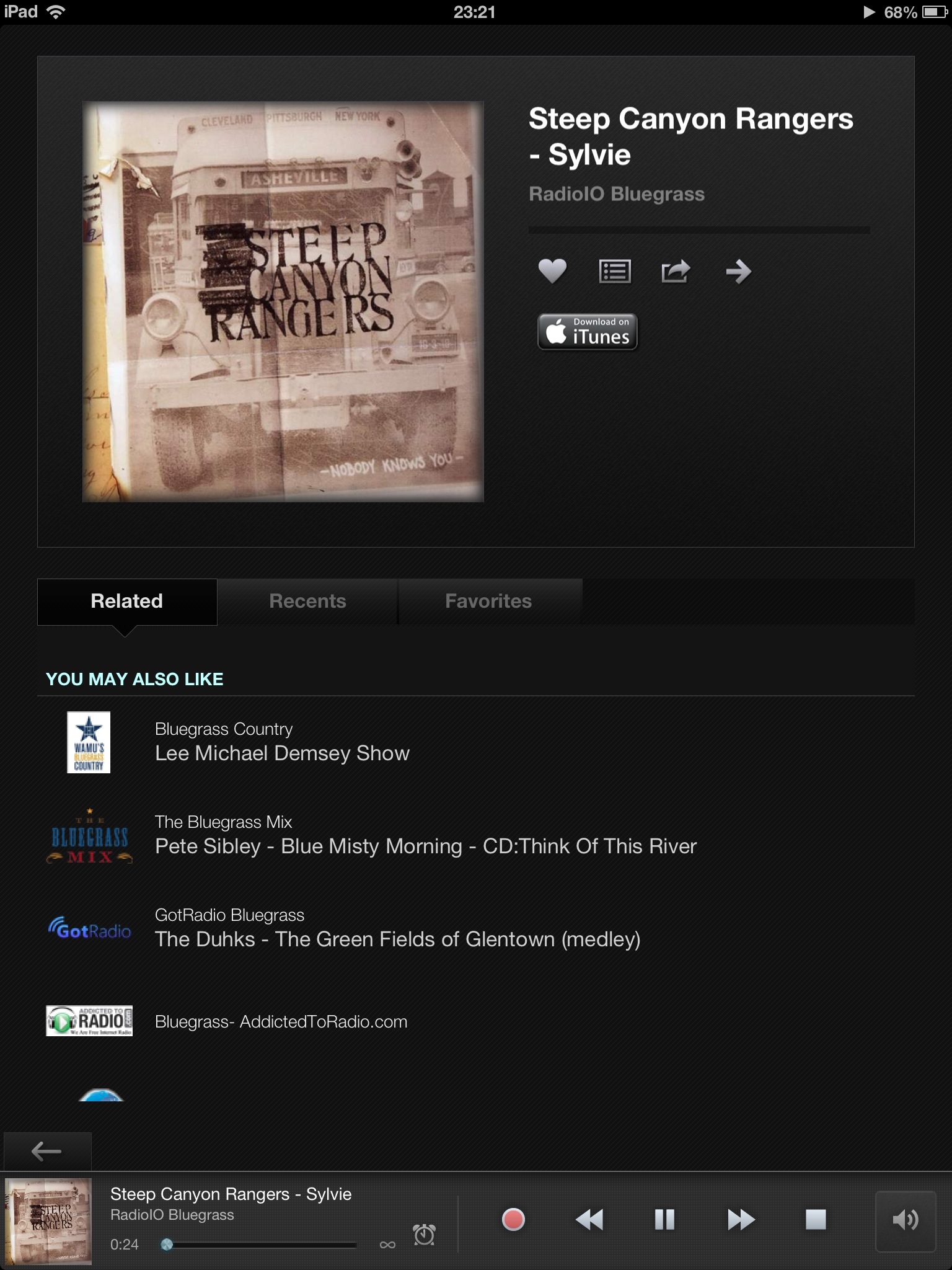
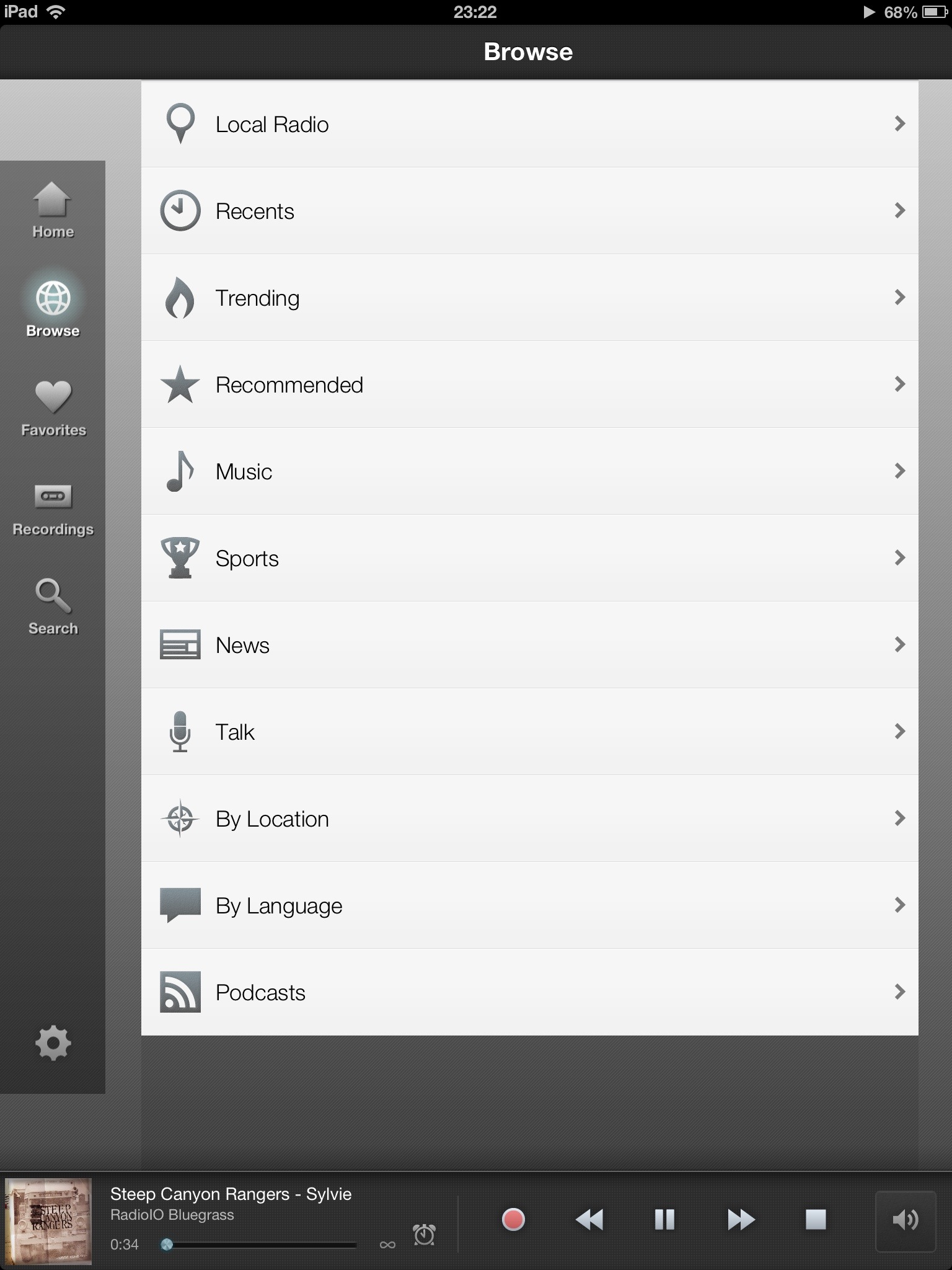
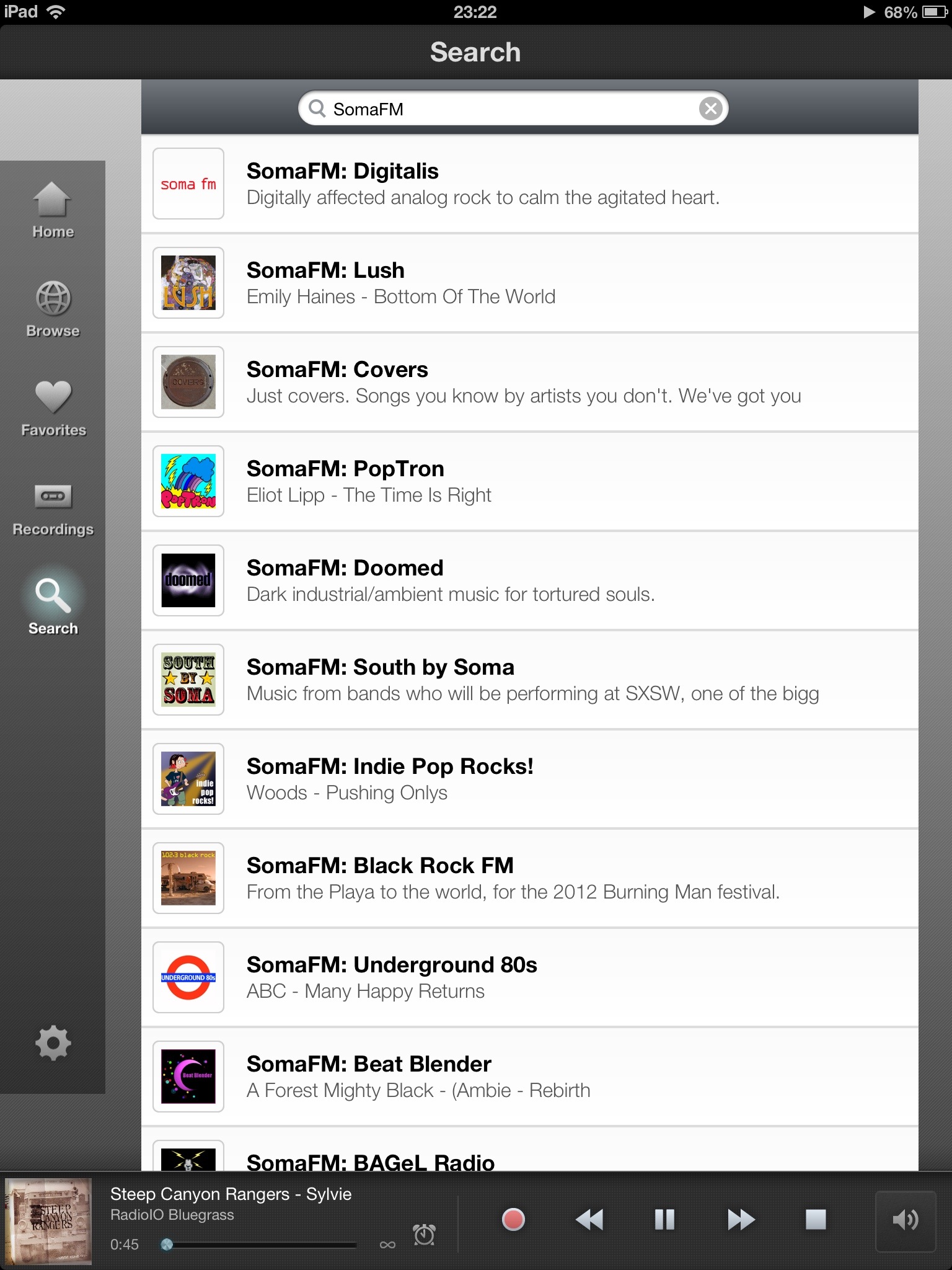
The general look of the app is more polished than in the last iPad version and it doesn’t result in any apparent loss of features.
Although some of the logos and fonts got a refresh, features (especially quick access to recent, related, favourites) introduced in 2012 remain.
There’s handy access to the timer/recording function right in the player and a new button from the station info screen (at least I haven’t noticed it before) to navigate streams forward. Oddly, there is no ‘last stream’ button, just a ‘back’ button that takes you back to the main interface.

20130201-000743.jpg

The only thing I wish the iPad version of the app could do, is to allow users to swipe across any station to immediately choose which sub-stream to invoke. (Many channels offer streams of varying bandwidths to suit your requirements.)
The app remains a very enjoyable way to enjoy streaming talk radio and music, despite its handful of flaws.
All in all, a great effort to refine an already great app.

20130201-001208.jpg

20130201-001229.jpg

Share this:

  • Click to email a link to a friend (Opens in new window) Email
  • Click to share on Facebook (Opens in new window) Facebook
  • Click to share on X (Opens in new window) X
  • More
  • Click to share on Reddit (Opens in new window) Reddit
  • Click to share on Tumblr (Opens in new window) Tumblr
  • Click to share on LinkedIn (Opens in new window) LinkedIn
  • Click to share on Pinterest (Opens in new window) Pinterest
  • Click to print (Opens in new window) Print
Like Loading...
← Older posts

Greetings

Welcome to rickyleong.com and thanks for stopping by. Pictured in the header above is Calgary’s skyline seen from McHugh Bluff.

About me


Journalist by trade, photographer for fun. I help make multi-platform content at Postmedia in Calgary. Opinions expressed here are my own.

More of my sites

  • View Ricky Leong's profile on LinkedIn
  • My personal Mastodon feed
  • Daily Tusk news links on Mastodon
  • Photos on Flickr
  • Videos on YouTube
  • My columns at calgarysun.com

Image licensing

Most of my photos are licensed under a Creative Commons Attribution-NonCommercial-NoDerivatives 4.0 International License.
Creative Commons License
If you require an image for commercial or other purposes not covered by the CC licence, or if you are in doubt as to how this licence applies, please feel free to contact me: rleong101(at)gmail.com

Create a website or blog at WordPress.com

  • Subscribe Subscribed
    • Ricky Leong
    • Join 1,180 other subscribers
    • Already have a WordPress.com account? Log in now.
    • Ricky Leong
    • Subscribe Subscribed
    • Sign up
    • Log in
    • Report this content
    • View site in Reader
    • Manage subscriptions
    • Collapse this bar
 

Loading Comments...
 

    %d