• Home
  • About this blog

Ricky Leong

~ Random Musings

Ricky Leong

Category Archives: technology

Flickr changes: More convoluted than it needs to be

21 Tuesday May 2013

Posted by Ricky Leong in Flickr, Internet, photography, random, technology

≈ Leave a comment

Tags

flickr, Internet, photography, tech, technology

ThomasHawkBlogFlickr

I was afraid of this — some wrinkle in the fine print of the massive changes to photo-sharing website Flickr made yesterday.
There’s nothing wrong with the esthetic improvements, to my mind.
All the trouble lies under the hood.
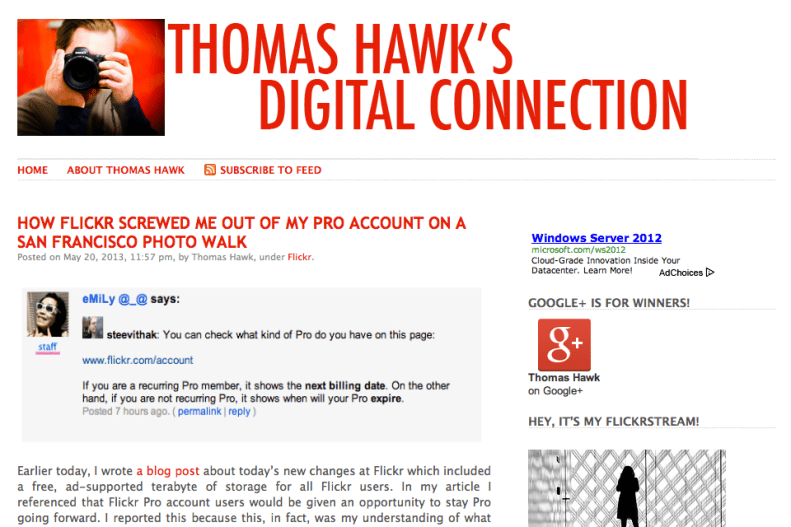
As blogger/photographer Thomas Hawk found out, the status of “Pro” accounts wasn’t as static as first thought.
Certain people’s current Pro account will eventually expire and those users will be forced into a new upgrade regime — $49.99 annually to remove ads; $499.99 annually to double space allocation to two terabytes. (That second one is not a typo: Four-hundred ninety-nine dollars and ninety-nine cents.)
Other Pro accounts will be allowed to continue.
It is still unclear to me how this Pro vs. Ad-Free/Doublr is suppose to shake down.
Will someone at Flickr please provide a CLEAR explanation of who is entitled to what? Who still has access to old-style Flickr Pro and who doesn’t?
What entitlements that were previously reserved for Pro users will be available to all users with the new free program?
How do I find out how much space I still have? One terabyte is a lot of data but I like to be organized …
Flickr has a few answers here: http://www.flickr.com/help/limits/#150582914
Still, it feels as if I’m information is being withheld or poorly explained.
I just tried to buy two more years under the current Pro regime … and it appears I’ve succeeded — even though the documentation states I shouldn’t be able to do so.
What changed in the last few hours? Has Flickr changed who’s entitled to a Pro account?
Essentially, I’d like to know how screwed I am when my Pro account expires … if it ever does.
This is turning out to be more confusing that it should be.

p.s. In the minutes after I took that screen capture of Thomas Hawk’s blog, he was also able to extend his Flickr Pro account. He is (not surprisingly) ecstatic.
Share this:

  • Click to email a link to a friend (Opens in new window) Email
  • Click to share on Facebook (Opens in new window) Facebook
  • Click to share on X (Opens in new window) X
  • More
  • Click to share on Reddit (Opens in new window) Reddit
  • Click to share on Tumblr (Opens in new window) Tumblr
  • Click to share on LinkedIn (Opens in new window) LinkedIn
  • Click to share on Pinterest (Opens in new window) Pinterest
  • Click to print (Opens in new window) Print
Like Loading...

New look for Flickr in your web browser

20 Monday May 2013

Posted by Ricky Leong in Flickr, photography, technology

≈ Leave a comment

Tags

flickr, Internet, photography, technology, web

20130520-155208.jpg

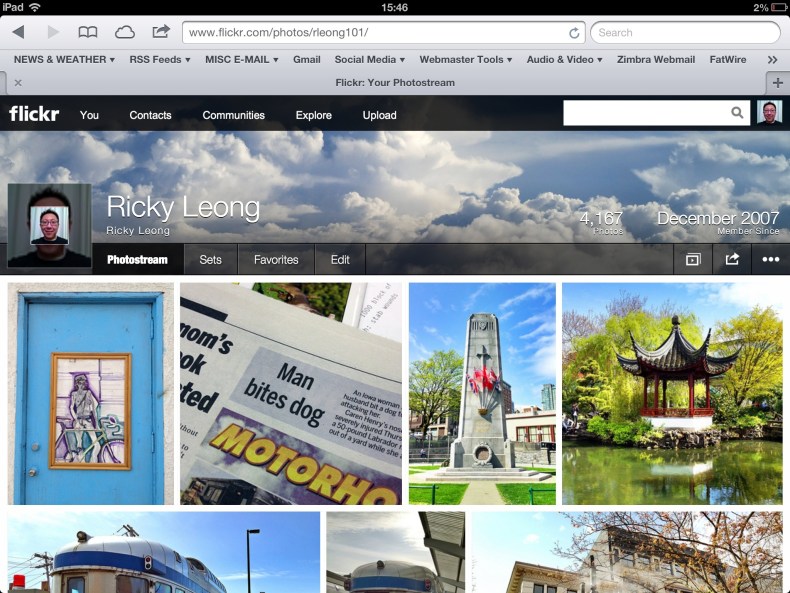
I’d been wondering how long it would be before the wonderful justified view for my contacts in Flickr would come to my own photostream.
The answer is … today. That and a whole bunch of other changes and goodies from Flickr.
After you log in, you are immediately shown a feed of your contacts’ images. Not puny little thumbnails as before, but medium-large size images you can scroll through vertically.
The new “wrap” around the main page has a Google-like quality to it, with persistent menus at the top and the right side of the page. (Flickr is owned by Yahoo, oddly enough.)
Navigate to your own photostream and you’ll see what I mentioned before: Your own images shown in a pretty mosaic (justified view), the same as the contacts page has been for the better part of a year.
All in all, the visuals in your web browser resemble that of the iOS Flickr app.
There appear to be a few other changes, under the hood.
Whereas before, members who used the free version of Flickr had monthly upload limits, it appears this has changed to a hard cap on space placed at one terabyte.
However, with the free service, there are ad and no detailed statistics. (Same as before.)
There are no changes for Flickr users who pay for a pro account.

Share this:

  • Click to email a link to a friend (Opens in new window) Email
  • Click to share on Facebook (Opens in new window) Facebook
  • Click to share on X (Opens in new window) X
  • More
  • Click to share on Reddit (Opens in new window) Reddit
  • Click to share on Tumblr (Opens in new window) Tumblr
  • Click to share on LinkedIn (Opens in new window) LinkedIn
  • Click to share on Pinterest (Opens in new window) Pinterest
  • Click to print (Opens in new window) Print
Like Loading...

Visual trickery with iPhone camera’s panorama mode

15 Wednesday May 2013

Posted by Ricky Leong in Apple, architecture, British Columbia, Canada, fun, iPhone, photography, photowalking, random, technology, trains, transit, Travel, urban, Vancouver

≈ Leave a comment

Tags

b.c., british columbia, canada, Canadian Pacific, history, iPhone, iPhoneography, panorama, photography, photowalk, rail, railroad, railway, random, roundhouse, train, trains, Travel, urban, vancouver, Yaletown

Roundhouse

This is the former Canadian Pacific roundhouse in Vancouver’s Yaletown district, captured with a sweep of my iPhone’s camera in “panorama” mode.
It was really interesting to try this, because the roundhouse is built in the shape of an arc … so if you’re standing at the centrepoint of the arc and you swivel to capture the panorama, the main subject doesn’t look very distorted at all, while everything else does.

Share this:

  • Click to email a link to a friend (Opens in new window) Email
  • Click to share on Facebook (Opens in new window) Facebook
  • Click to share on X (Opens in new window) X
  • More
  • Click to share on Reddit (Opens in new window) Reddit
  • Click to share on Tumblr (Opens in new window) Tumblr
  • Click to share on LinkedIn (Opens in new window) LinkedIn
  • Click to share on Pinterest (Opens in new window) Pinterest
  • Click to print (Opens in new window) Print
Like Loading...

Review of the Logitech Ultrathin Keyboard for iPad

17 Wednesday Apr 2013

Posted by Ricky Leong in Apple, iPad, technology

≈ 1 Comment

Tags

Bluetooth, iPad, keyboard, technology

20130416-232442.jpg

Over the last year, I’ve taken several trips on which my trusty laptop computer stayed at home while an iPad accompanied me on my journey instead.
Although I successfully wrote innumerable e-mails, dozens of blog posting and several newspaper columns on my travels, I sometimes missed having a physical keyboard.
In comes the Logitech Ultrathin Keyboard Cover.
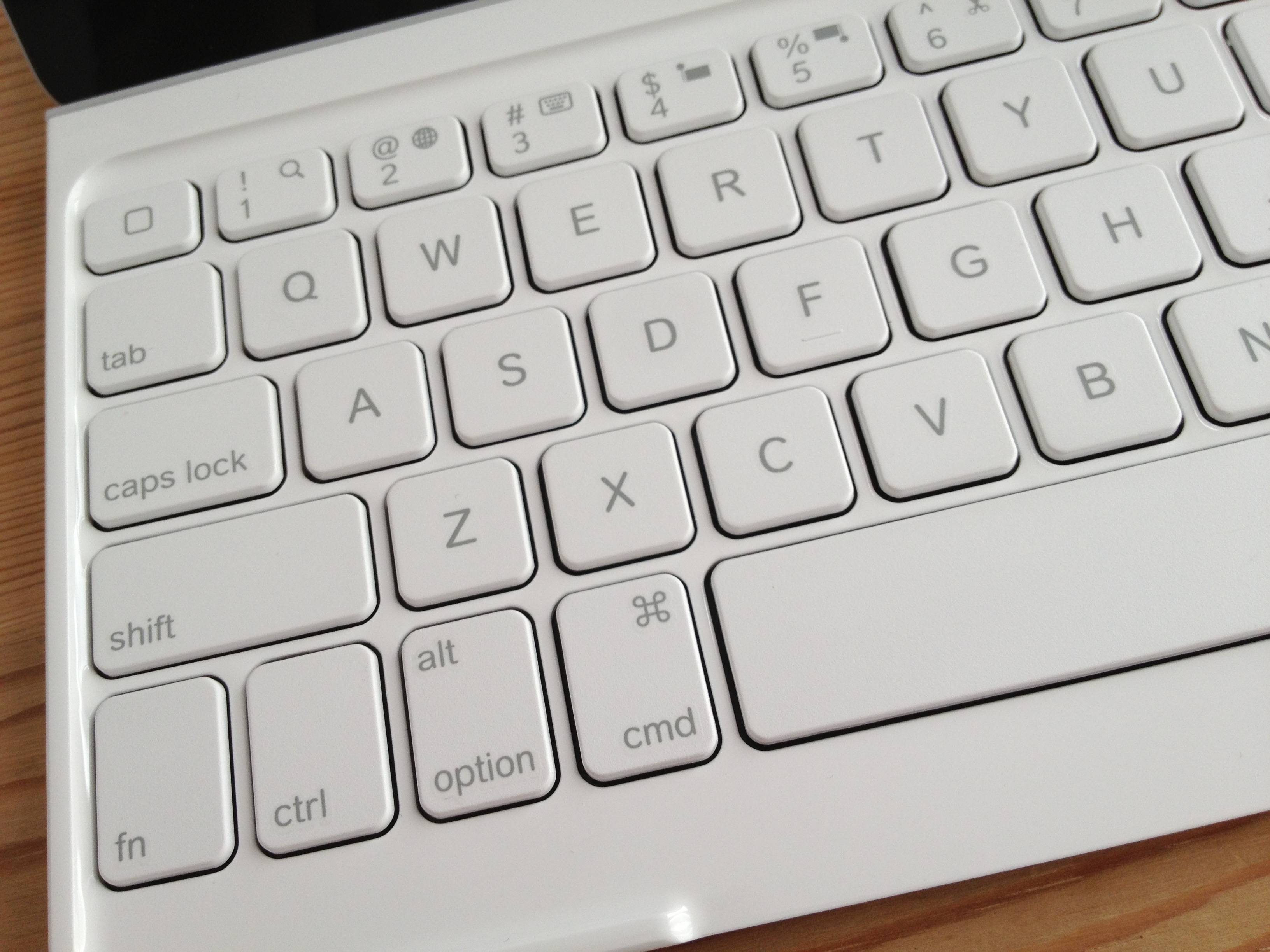
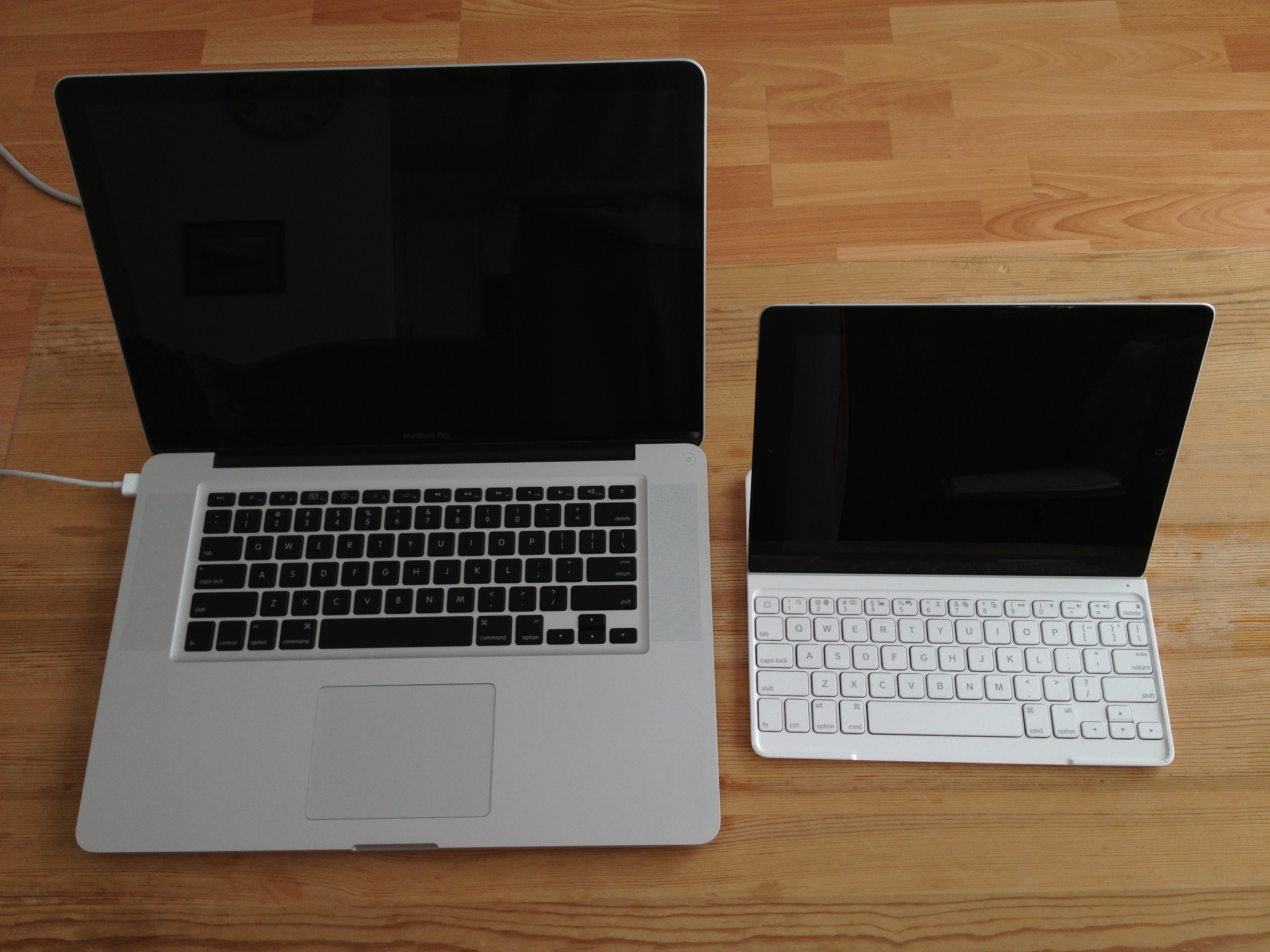
It’s not a full-sized keyboard, so it might take a minute or two to get used to the spacing between keys.
Where an ‘esc’ key would be on a normal keyboard, there is an extra home button. It behaves like its physical equivalent.
A ‘fn’ key gives you access to several useful functions: Search, language switching, selecting/cutting/copying/pasting, play/pause, mute, volume and iPad lock/unlock.
And happily, if you’re also a Mac user, all the usual keyboard shortcuts work as you’d expect — shift/option/cmd combos to move around and select text, cmd+C to copy, cmd+V to paste, option+shift+hyphen for an em-dash, option+8 for a bullet … everything exactly as it should work.

20130416-232835.jpg

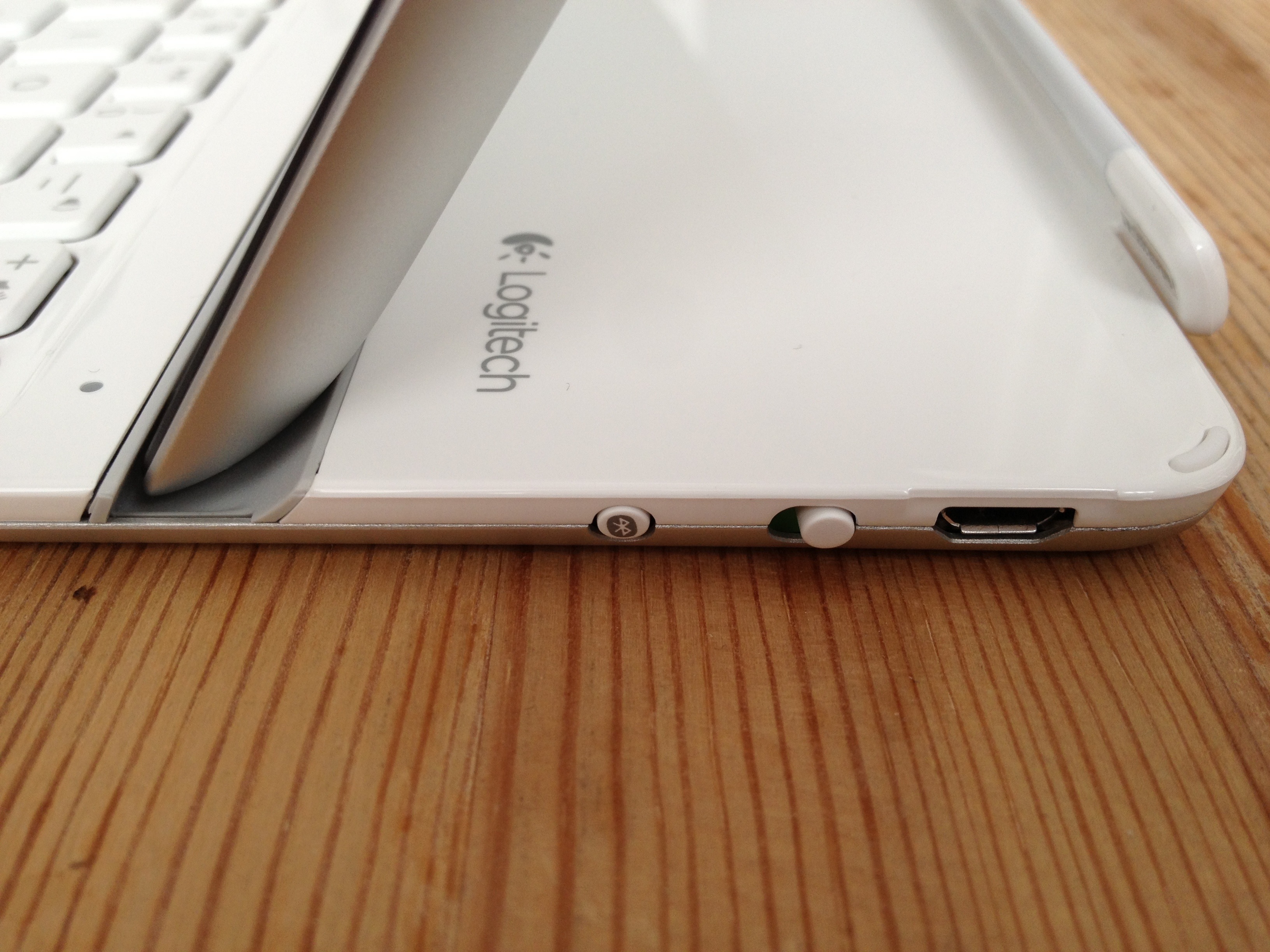
Physically speaking, the keyboard is light. The iPad feels secure when inserted into the provided groove. The keyboard also stays attached if you lift the combo off your lap/desk/work surface.
The keys themselves feel good, resembling what you’d expect from Apple’s own low-profile soft-touch keyboards.
The initial Bluetooth pairing between the keyboard and the iPad was a dream.
Charging to full took a couple of hours; the manual claims the keyboard will hold its charge for as long as six months for light daily duty.
As much as I have many nice things to say about this device, I’m not yet convinced about the keyboard’s function as a cover, mainly because the side magnet is not as sturdy as the one on Apple’s own Smart Cover.
The thing works great when it’s closed. There are little rubber feet in the cover to separate it from the screen. It doesn’t attach magnetically as a Smart Cover would but if you slide the iPad and cover into a sleeve or a laptop bag, there should be no trouble.
Trouble does come once it’s open. The cover is heavy enough that it will detach from the iPad if you don’t provide any support. And forget about flipping the cover over and under, as you would with a standard Smart Cover. It will come right off.
My biggest gripe: The provided USB/power cable for charging is ridiculously short — only 38 cm/15 inches long. It might make things tricky when replenishing the keyboard’s rechargeable battery.
In short, the Logitech Ultrathin Keyboard Cover turns iPad into something resembling a touchscreen laptop computer.
The concept of touching the screen *and* typing to interact with my device was odd at first, but I’m getting accustomed to it.
(For what it’s worth, this review was written using the keyboard, in separate writing sessions spread out over several weeks. Things went quite well.)
There will be times when a travelling with a full-fledged mobile computer will be called for. But for those occasions where the iPad is sufficient, the Logitech keyboard cover (or a similar device) should make typing that much easier and enjoyable.

20130416-233622.jpg

Share this:

  • Click to email a link to a friend (Opens in new window) Email
  • Click to share on Facebook (Opens in new window) Facebook
  • Click to share on X (Opens in new window) X
  • More
  • Click to share on Reddit (Opens in new window) Reddit
  • Click to share on Tumblr (Opens in new window) Tumblr
  • Click to share on LinkedIn (Opens in new window) LinkedIn
  • Click to share on Pinterest (Opens in new window) Pinterest
  • Click to print (Opens in new window) Print
Like Loading...

Almost like new

18 Monday Mar 2013

Posted by Ricky Leong in technology

≈ Leave a comment

Tags

computers, hard drive, HDD, laptop, solid state drive, SSD, technology, Toshiba, upgrade, Windows, Windows 7, Windows XP

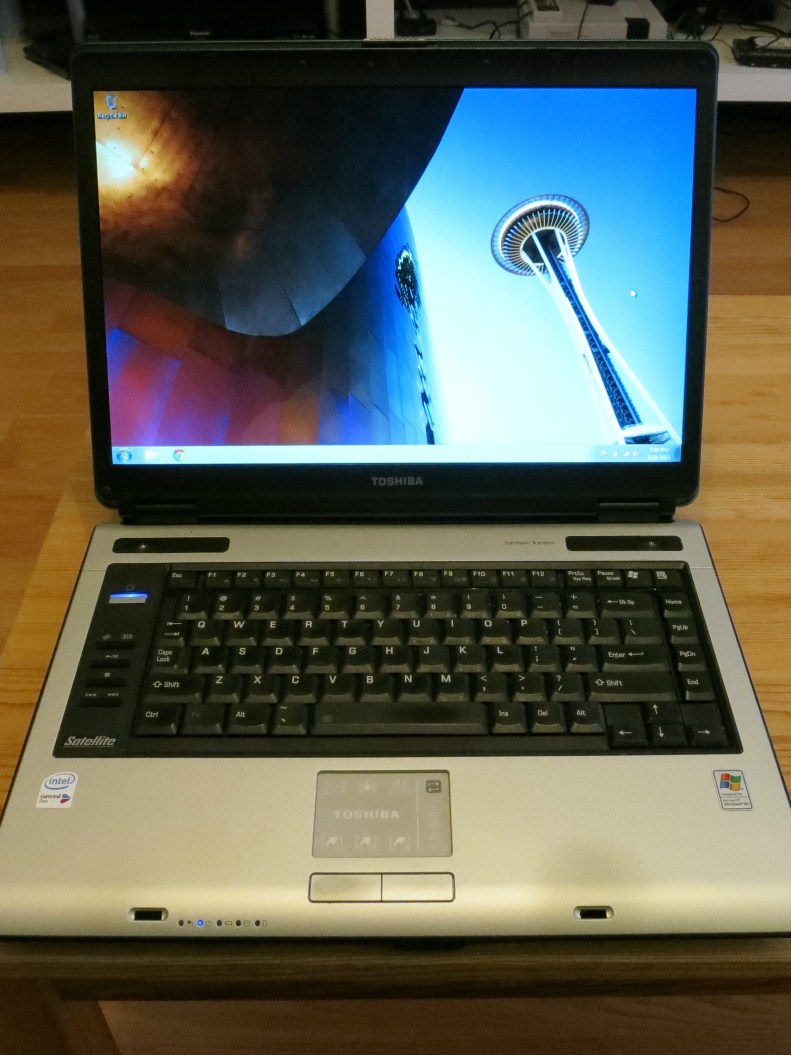
Refurbished Toshiba Satellite A100

Once destined for the scrap heap, this aquamarine-turquoise Toshiba Satellite A100 gets a new life thanks to a solid-state drive.
Continue reading →

Share this:

  • Click to email a link to a friend (Opens in new window) Email
  • Click to share on Facebook (Opens in new window) Facebook
  • Click to share on X (Opens in new window) X
  • More
  • Click to share on Reddit (Opens in new window) Reddit
  • Click to share on Tumblr (Opens in new window) Tumblr
  • Click to share on LinkedIn (Opens in new window) LinkedIn
  • Click to share on Pinterest (Opens in new window) Pinterest
  • Click to print (Opens in new window) Print
Like Loading...

Flickr iOS app updates coming fast and furious

16 Saturday Mar 2013

Posted by Ricky Leong in Apple, Flickr, Internet, iPad, iPhone, photography, random, technology

≈ Leave a comment

Tags

all, flickr, iOS, iPad, iPhone, iPhoneography, photography, technology

20130316-192744.jpg

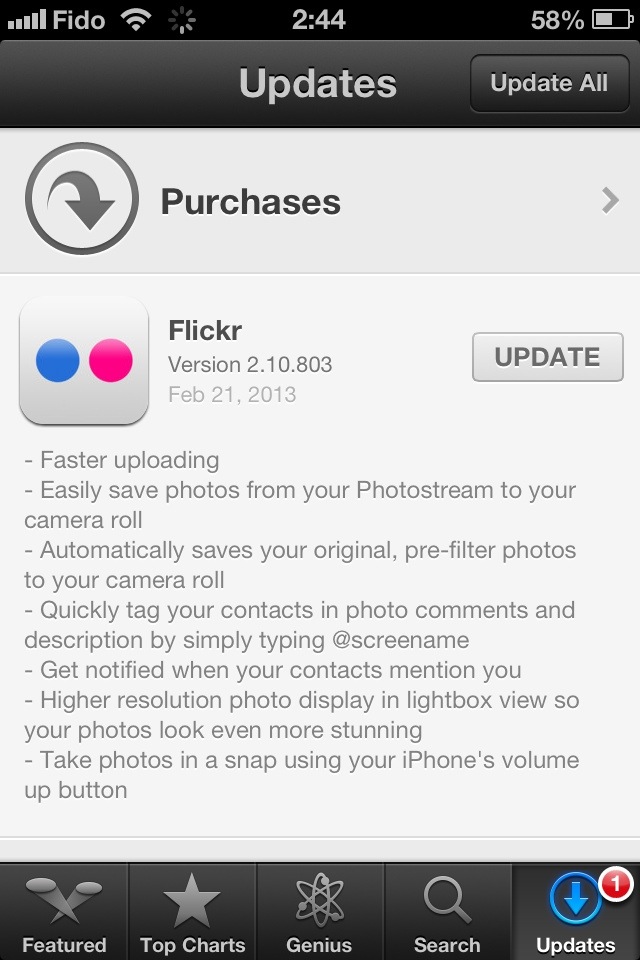
Just saw this pop up on the phone …
Enhancements include the addition of the ever-ubiquitous hashtags and unspecified “bug fixes.”
Will have to try it out later and report back on what “bug fixes” we’re taken care of this time.

EDIT: A long-running complaint of mine hasn’t been addressed with this update: The Flickr app used to use the ‘keywords’ IPTC field and turn it into Flickr tags. It hasn’t done so since the prettier Version 2 of the Flickr app was introduced in December. Very annoying.

Share this:

  • Click to email a link to a friend (Opens in new window) Email
  • Click to share on Facebook (Opens in new window) Facebook
  • Click to share on X (Opens in new window) X
  • More
  • Click to share on Reddit (Opens in new window) Reddit
  • Click to share on Tumblr (Opens in new window) Tumblr
  • Click to share on LinkedIn (Opens in new window) LinkedIn
  • Click to share on Pinterest (Opens in new window) Pinterest
  • Click to print (Opens in new window) Print
Like Loading...

Before the Internet … there was shortwave radio

11 Monday Mar 2013

Posted by Ricky Leong in broadcasting, Internet, iPad, iPhone, journalism, radio, technology, world

≈ Leave a comment

Tags

broadcasting, international, Internet, iPad, iPhone, news, radio, shortwave, SWL, technology, world

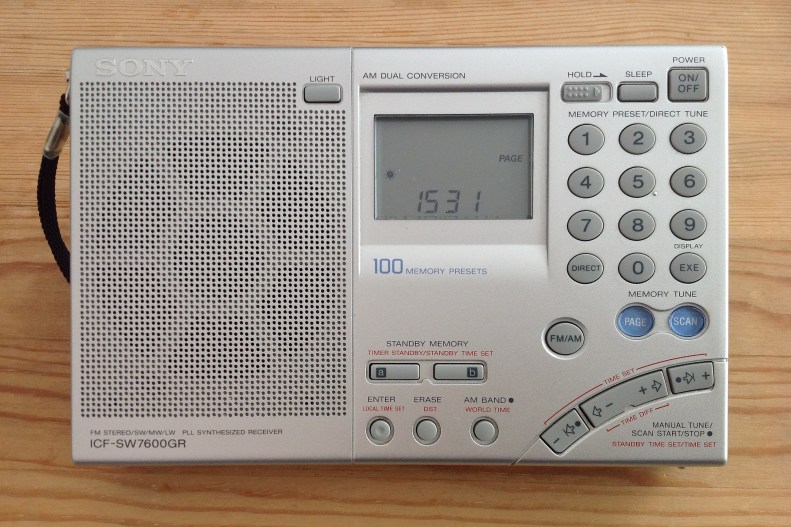
Shortwave radio receiver, Sony 7600-GR

It’s been a couple of years since the aerial broke off this radio.
Once upon a time, I would have gone to great lengths to repair it but my geographical location and changing technology have pretty much put a permanent hold on any effort to fix this.
You see, the radio still performs just fine on AM/MW with its internal antenna; it does relatively well on FM even with no antenna.
It’s on shortwave where the missing aerial would be most noticed — and I’m saddened to report I’m normally not missing a thing.
Continue reading →

Share this:

  • Click to email a link to a friend (Opens in new window) Email
  • Click to share on Facebook (Opens in new window) Facebook
  • Click to share on X (Opens in new window) X
  • More
  • Click to share on Reddit (Opens in new window) Reddit
  • Click to share on Tumblr (Opens in new window) Tumblr
  • Click to share on LinkedIn (Opens in new window) LinkedIn
  • Click to share on Pinterest (Opens in new window) Pinterest
  • Click to print (Opens in new window) Print
Like Loading...

Flickr updates iPhone/iOS app

21 Thursday Feb 2013

Posted by Ricky Leong in Apple, Flickr, photography, technology

≈ Leave a comment

Tags

apple, flickr, iOS, iPhone, iPhoneography, photography

What many of us have been waiting for. See for yourself!

20130221-024652.jpg

UPDATE WITH LIGHTNING REVIEW: After a few minutes of quick use, I have found the following.
1) The uploading is much quicker, as advertised.
2) You still can’t upload video, a feature many users requested.
3) There is indeed a “Save photo” button that appears — but only valid for your own pictures.
4) The IPTC data reading is still broken. Keywords in IPTC fields still don’t show as tags. Not only that, it’s actually worse now. See the following two screengrabs. While the photo title and caption appear correctly inside the new Flickr app, they do not show properly on the Flickr website. How weird is that?
I’ve removed that image from my Flickr feed until I can figure out if it’s a bug or if I’ve done something wrong.

FURTHER UPDATE: My latest batch of photos had their titles and captions properly published. IPTC tags are still broken, however.

Share this:

  • Click to email a link to a friend (Opens in new window) Email
  • Click to share on Facebook (Opens in new window) Facebook
  • Click to share on X (Opens in new window) X
  • More
  • Click to share on Reddit (Opens in new window) Reddit
  • Click to share on Tumblr (Opens in new window) Tumblr
  • Click to share on LinkedIn (Opens in new window) LinkedIn
  • Click to share on Pinterest (Opens in new window) Pinterest
  • Click to print (Opens in new window) Print
Like Loading...

Smart-alec spellcheck

08 Friday Feb 2013

Posted by Ricky Leong in fun, random, technology

≈ Leave a comment

Tags

Adobe, fail, fun, funny, InDesign, spellcheck, tech, technology

20130208-163315.jpg

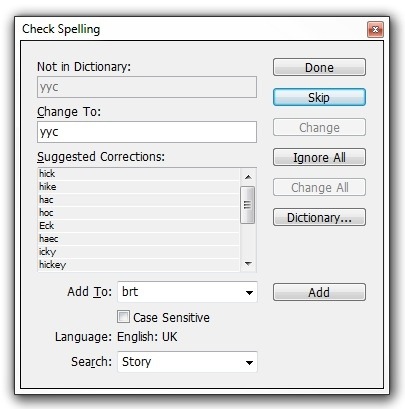
Courtesy InDesign … Here’s an unflattering spellcheck suggestion for YYC, the airport code for Calgary.
(The second suggestion, however, is spot on.)

Share this:

  • Click to email a link to a friend (Opens in new window) Email
  • Click to share on Facebook (Opens in new window) Facebook
  • Click to share on X (Opens in new window) X
  • More
  • Click to share on Reddit (Opens in new window) Reddit
  • Click to share on Tumblr (Opens in new window) Tumblr
  • Click to share on LinkedIn (Opens in new window) LinkedIn
  • Click to share on Pinterest (Opens in new window) Pinterest
  • Click to print (Opens in new window) Print
Like Loading...

Music to my ears … and eyes

01 Friday Feb 2013

Posted by Ricky Leong in Apple, Internet, iPad, iPhone, music, technology

≈ Leave a comment

Tags

app, audio, iOS, iPad, iPhone, music, radio, TuneIn

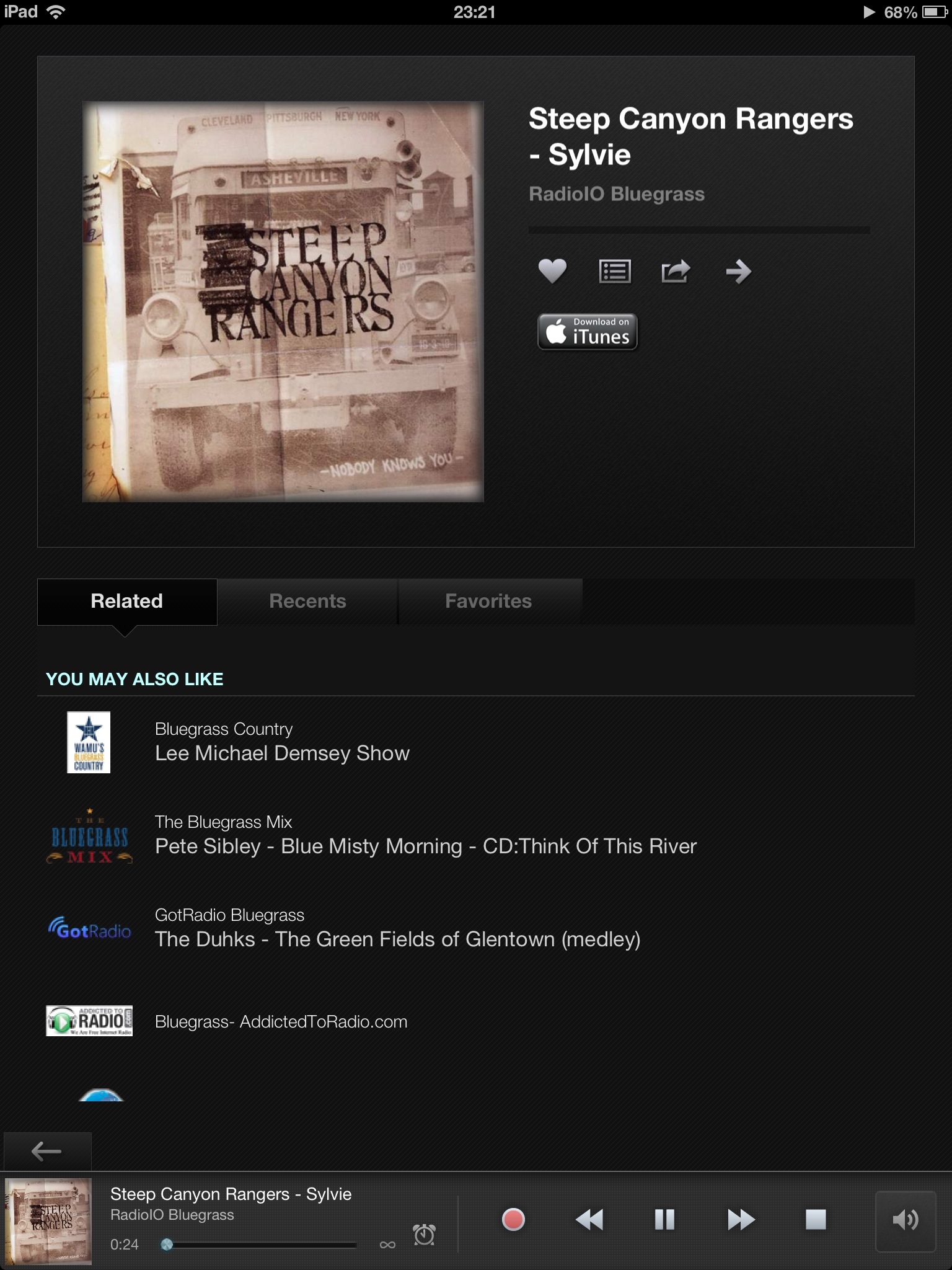
20130131-235626.jpg

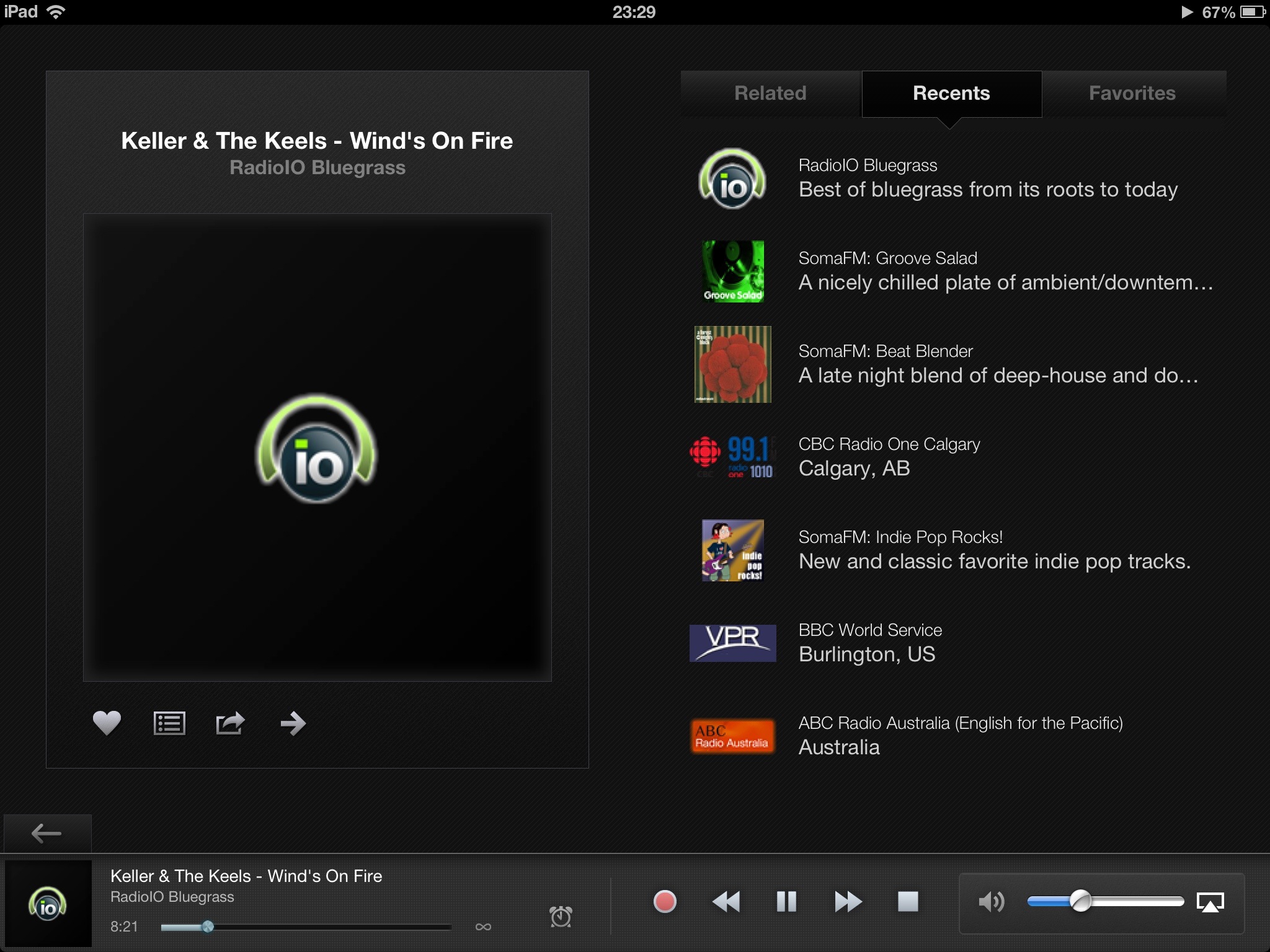
I’m a little late to the party with this review of the latest version of TuneIn Radio, which was rolled out shortly before Christmas.
You see: I mainly use TuneIn on my smartphone while commuting or travelling and so didn’t notice the massive redo of the interface on the tablet version until the last few hours.

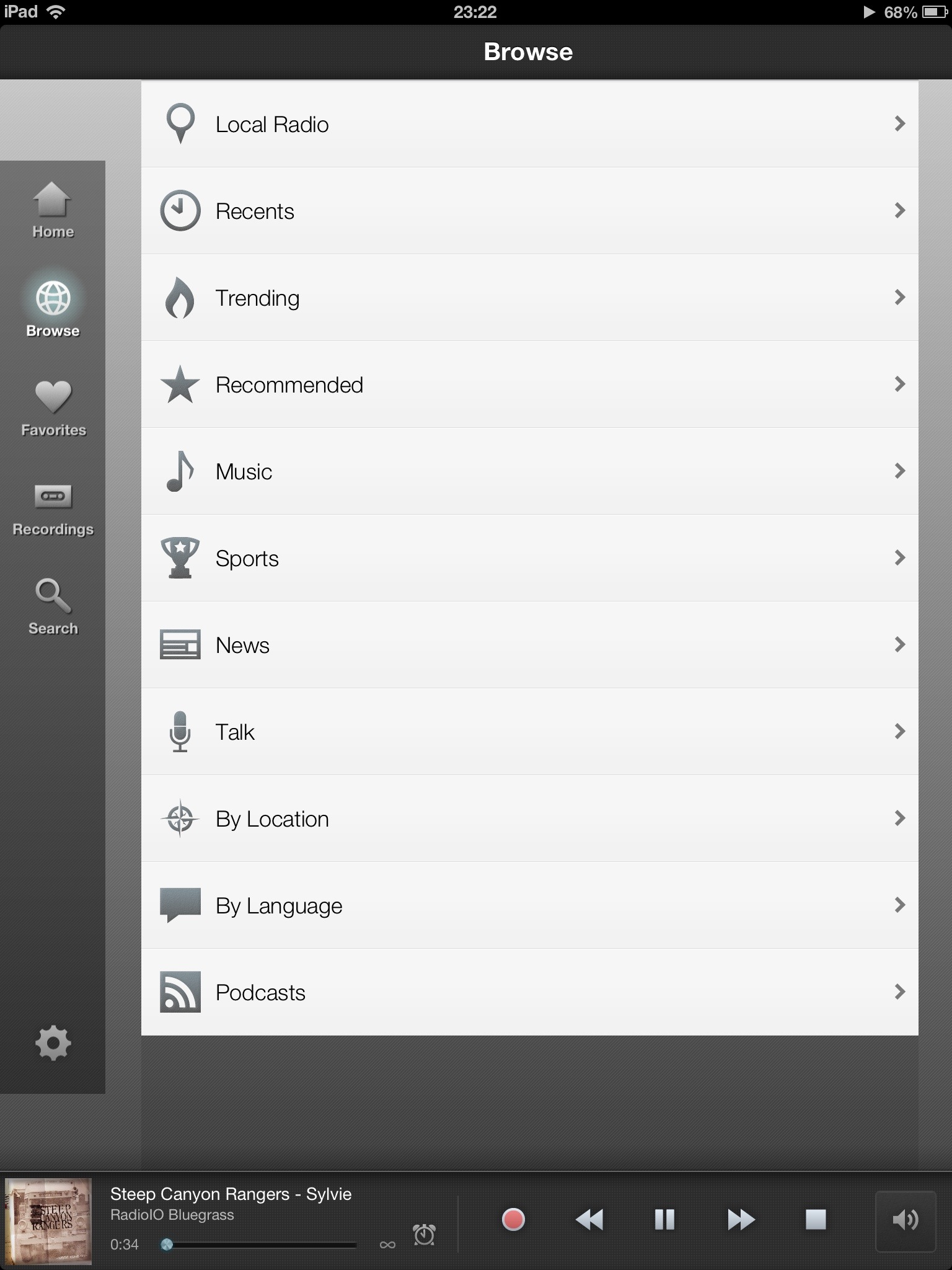
20130201-000009.jpg

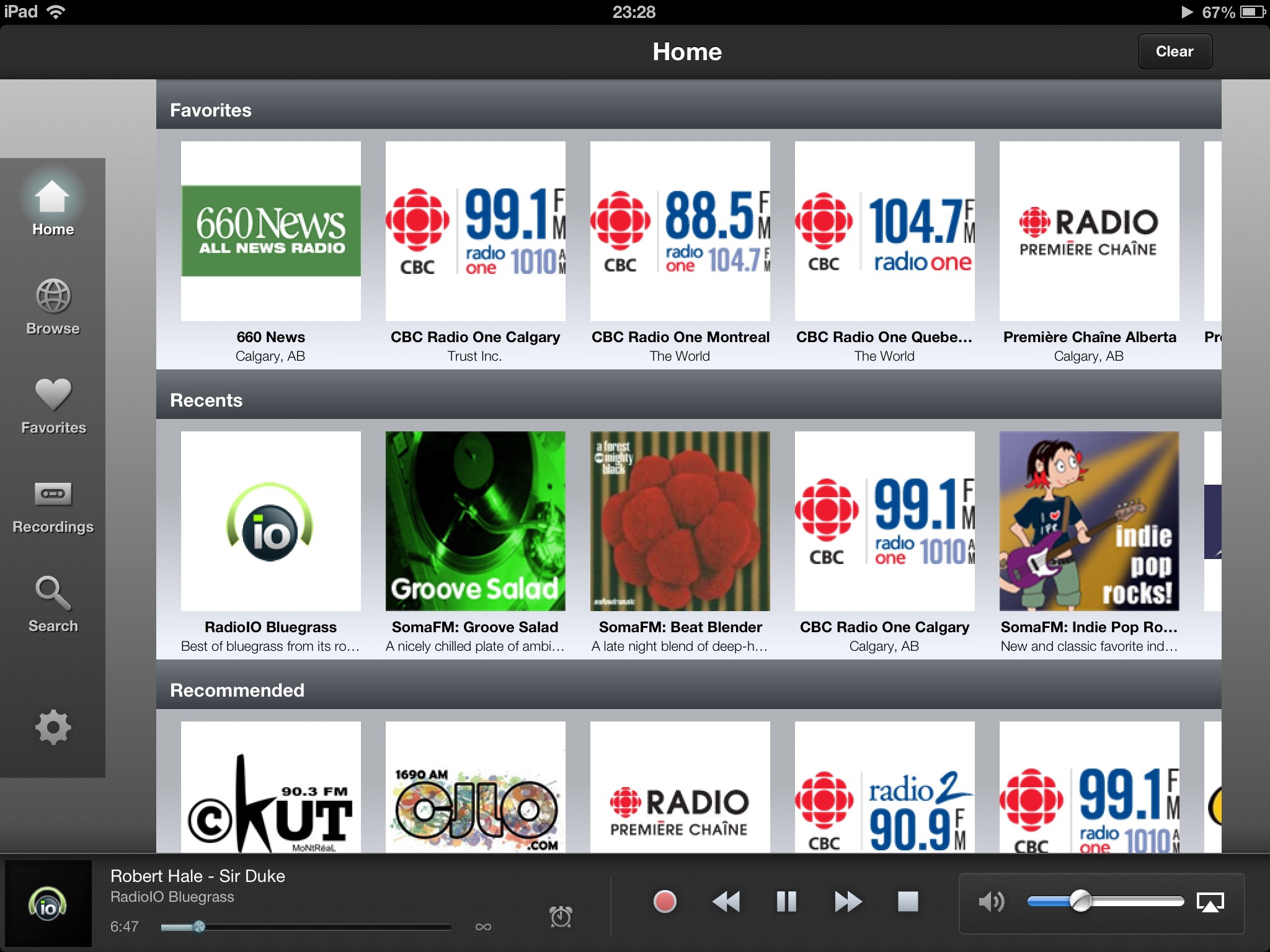
The general look of the app is more polished than in the last iPad version and it doesn’t result in any apparent loss of features.
Although some of the logos and fonts got a refresh, features (especially quick access to recent, related, favourites) introduced in 2012 remain.
There’s handy access to the timer/recording function right in the player and a new button from the station info screen (at least I haven’t noticed it before) to navigate streams forward. Oddly, there is no ‘last stream’ button, just a ‘back’ button that takes you back to the main interface.

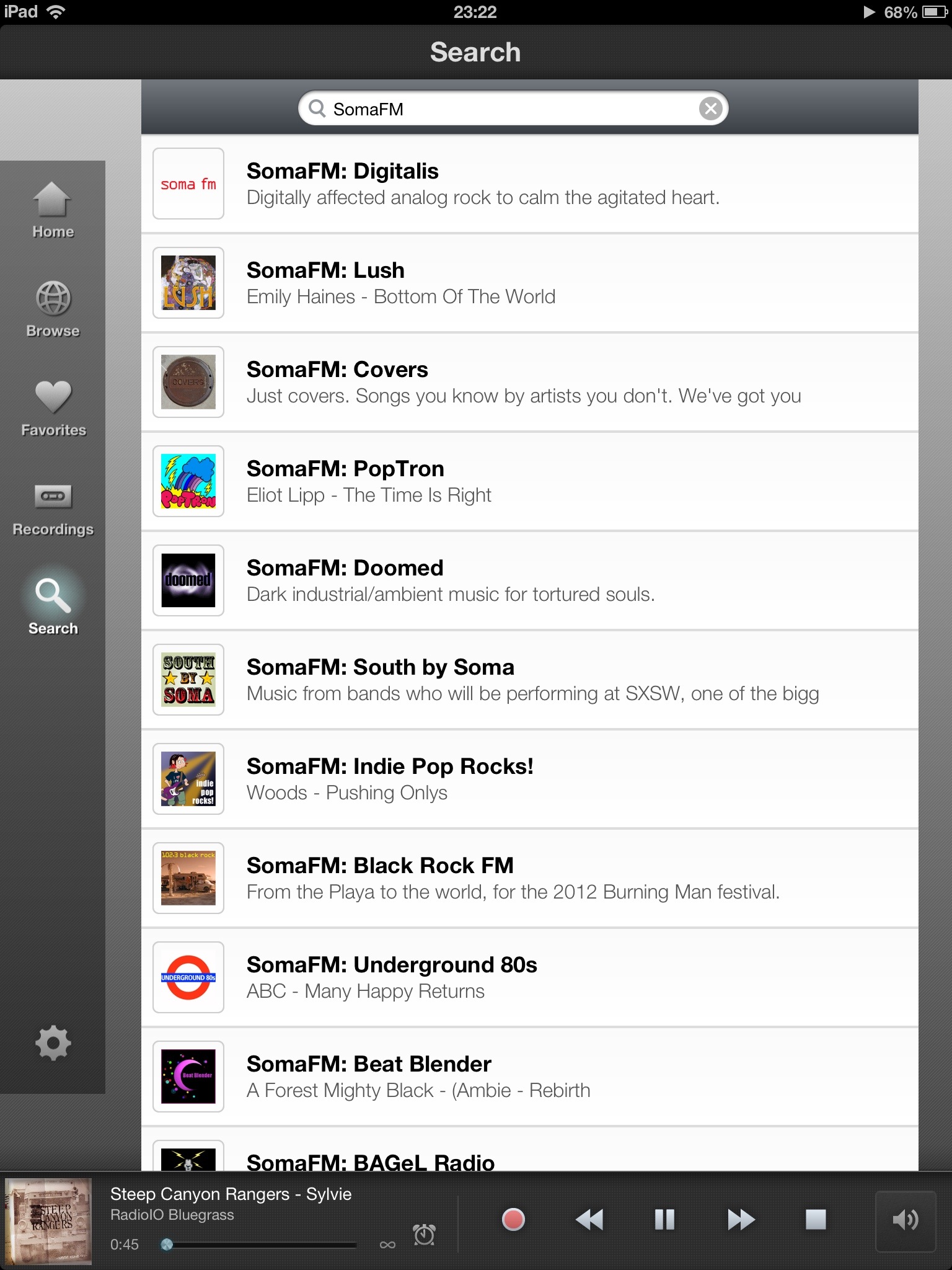
20130201-000743.jpg

The only thing I wish the iPad version of the app could do, is to allow users to swipe across any station to immediately choose which sub-stream to invoke. (Many channels offer streams of varying bandwidths to suit your requirements.)
The app remains a very enjoyable way to enjoy streaming talk radio and music, despite its handful of flaws.
All in all, a great effort to refine an already great app.

20130201-001208.jpg

20130201-001229.jpg

Share this:

  • Click to email a link to a friend (Opens in new window) Email
  • Click to share on Facebook (Opens in new window) Facebook
  • Click to share on X (Opens in new window) X
  • More
  • Click to share on Reddit (Opens in new window) Reddit
  • Click to share on Tumblr (Opens in new window) Tumblr
  • Click to share on LinkedIn (Opens in new window) LinkedIn
  • Click to share on Pinterest (Opens in new window) Pinterest
  • Click to print (Opens in new window) Print
Like Loading...
← Older posts
Newer posts →

Greetings

Welcome to rickyleong.com and thanks for stopping by. Pictured in the header above is Calgary’s skyline seen from McHugh Bluff.

About me


Journalist by trade, photographer for fun. I help make multi-platform content at Postmedia in Calgary. Opinions expressed here are my own.

More of my sites

  • View Ricky Leong's profile on LinkedIn
  • My personal Mastodon feed
  • Daily Tusk news links on Mastodon
  • Photos on Flickr
  • Videos on YouTube
  • My columns at calgarysun.com

Image licensing

Most of my photos are licensed under a Creative Commons Attribution-NonCommercial-NoDerivatives 4.0 International License.
Creative Commons License
If you require an image for commercial or other purposes not covered by the CC licence, or if you are in doubt as to how this licence applies, please feel free to contact me: rleong101(at)gmail.com

Create a website or blog at WordPress.com

  • Subscribe Subscribed
    • Ricky Leong
    • Join 1,180 other subscribers
    • Already have a WordPress.com account? Log in now.
    • Ricky Leong
    • Subscribe Subscribed
    • Sign up
    • Log in
    • Report this content
    • View site in Reader
    • Manage subscriptions
    • Collapse this bar
 

Loading Comments...
 

    %d